-
IInterlachen Pediatrics
Good morning. I need to update my email address. The employee associated with that email address is no longer with the company. Previous email is gs***hez@in***ds.com
-
 Kris JotForm Support
Hi Interlachen Pediatrics,
Thanks for reaching out to Jotform Support. Changing your account email address only takes a minute. Let me show you how:
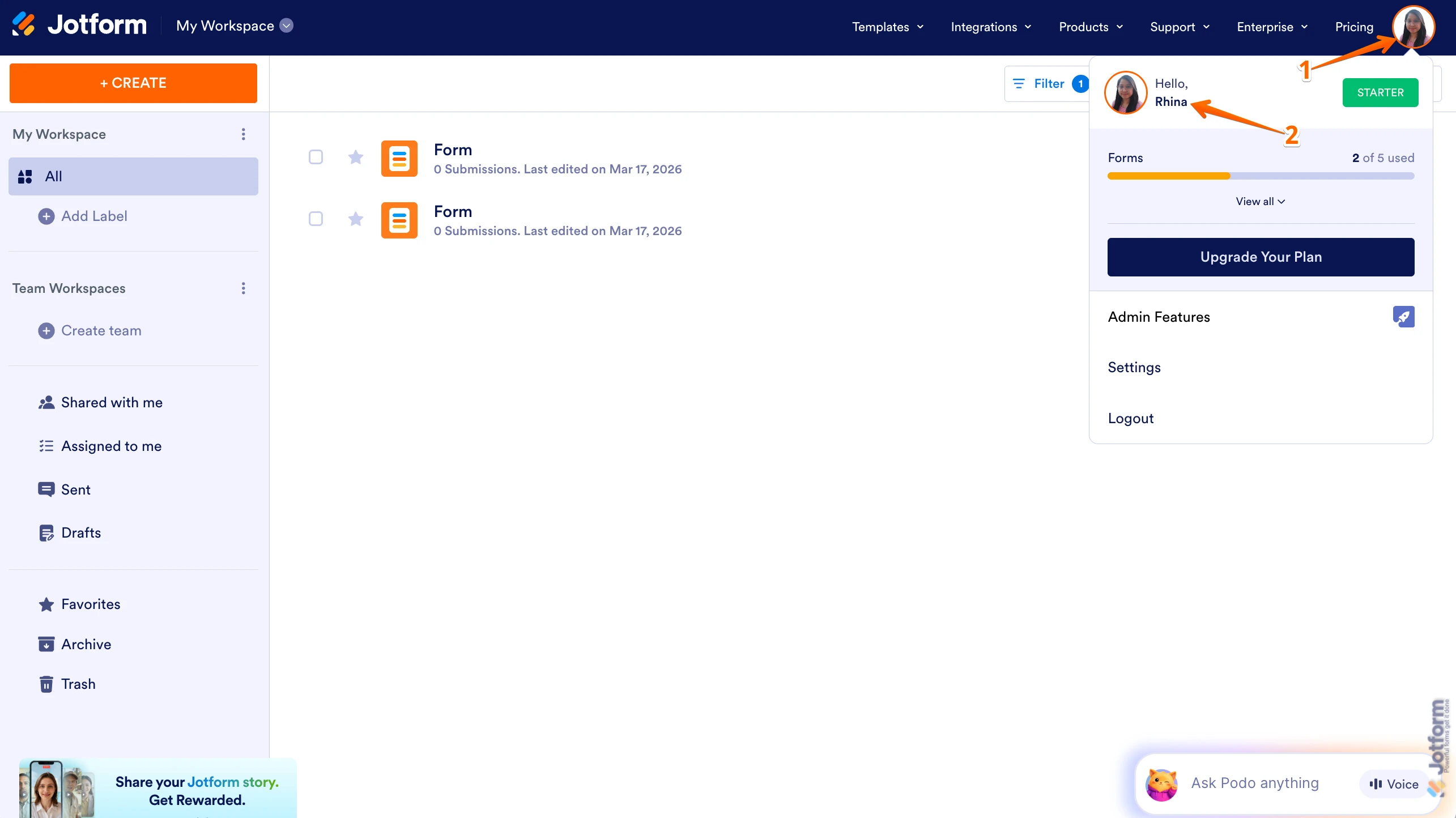
1. On your Workspace page, click on your Avatar/Profile Image in the top-right corner of the screen.
2. In the Dropdown menu that comes up, click on your name.

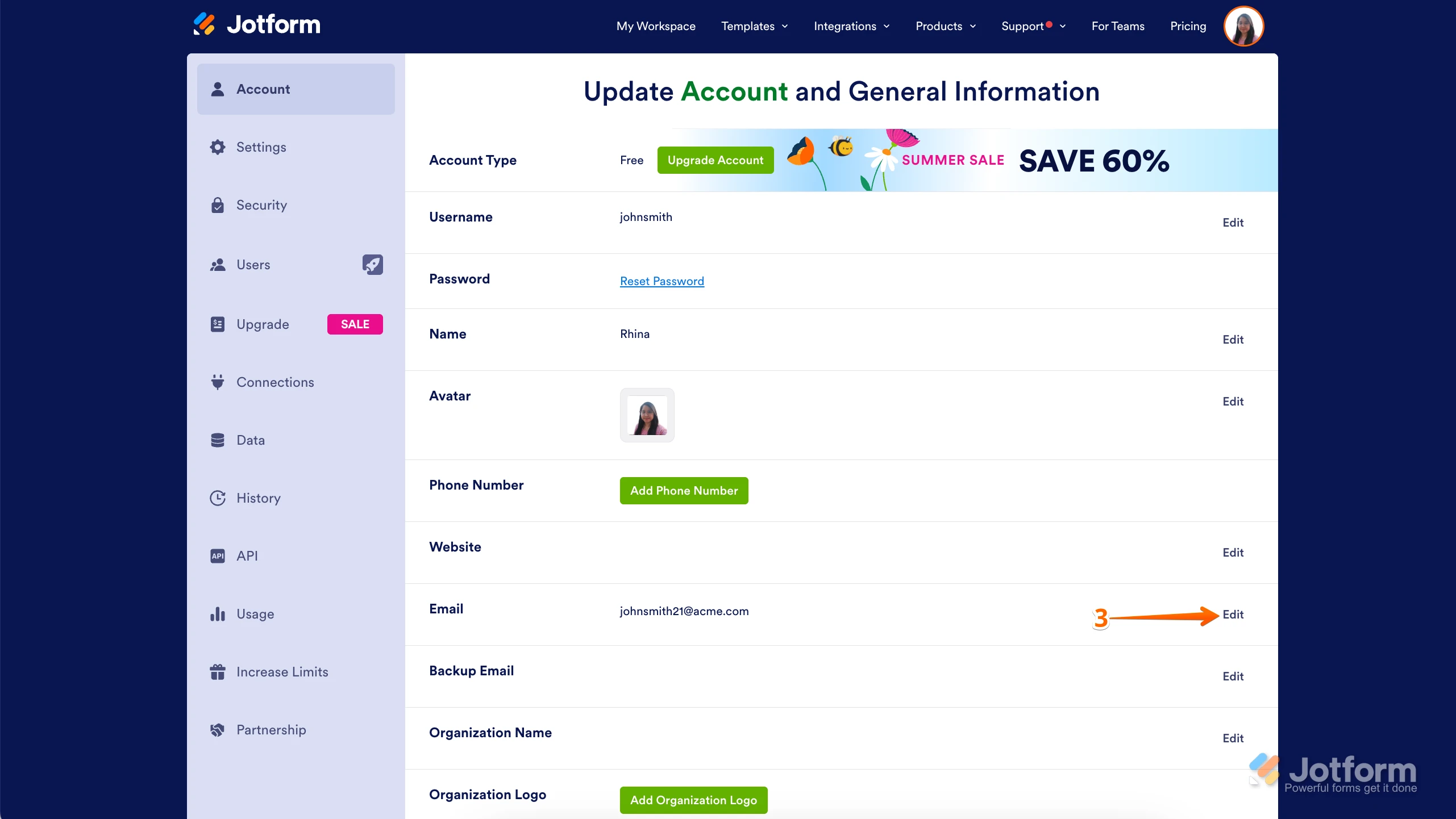
3. On the right side of the page, under the Email section, click on Edit.
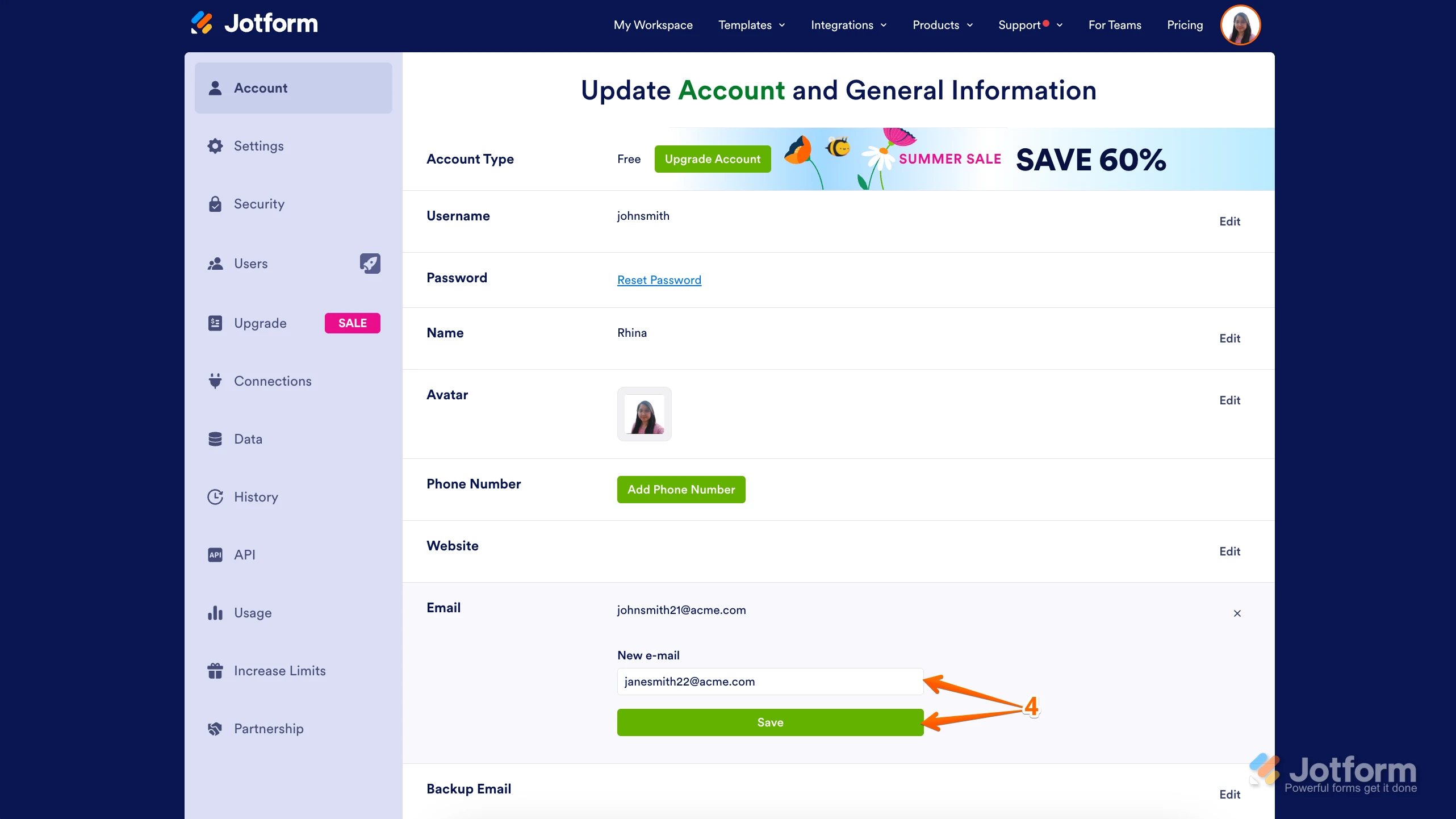
4. Next, enter the new email address you want to use and click on Save.
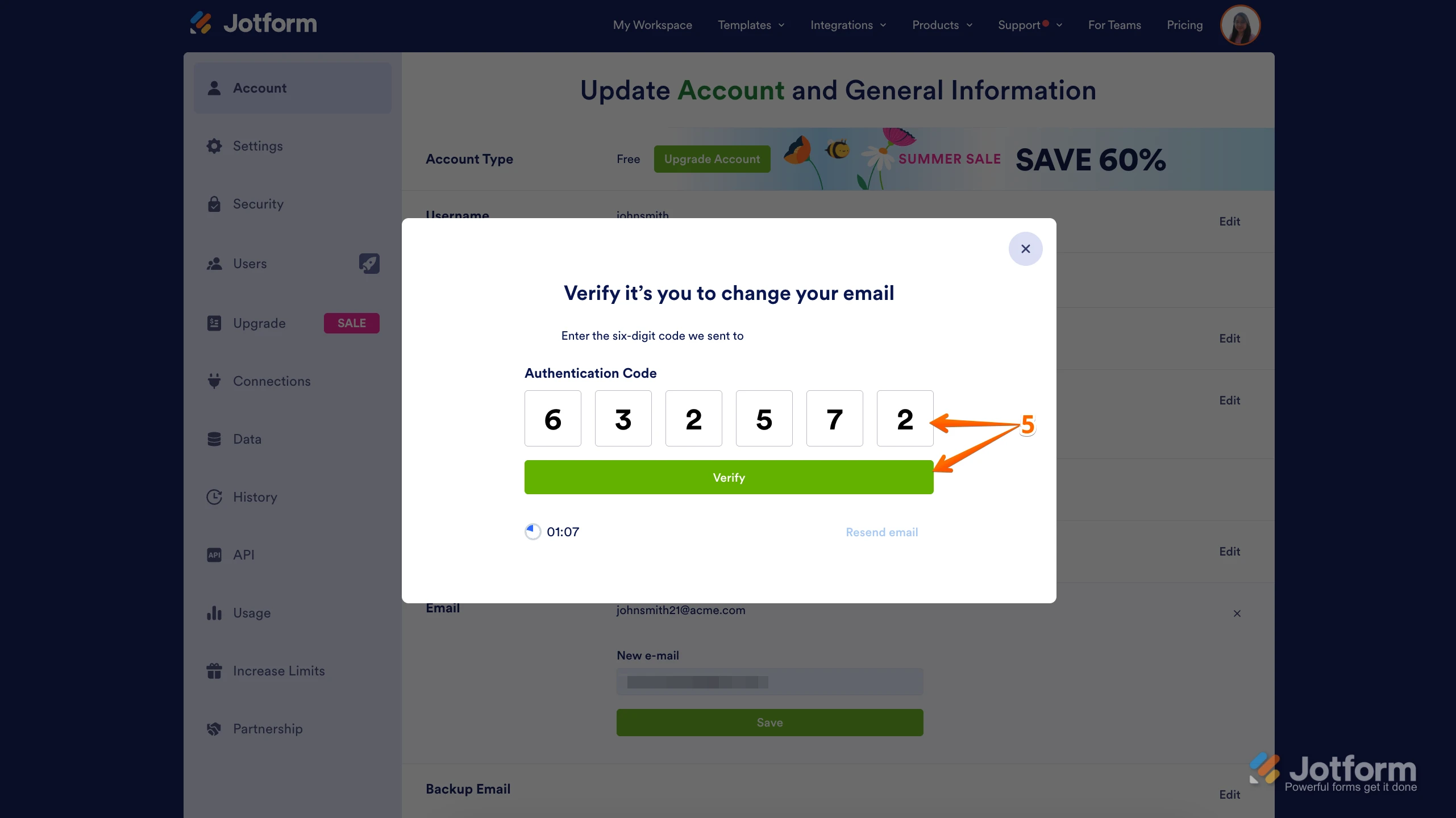
5. In the Confirmation window that opens, enter the Authentication Code sent to your new email and click on Verify.
If you don't have access to the email account connected to Jotform, you can fill out the form from the link you attached from your message.
Reach out again if there’s anything else we can help you with.
Your Reply
Something Went Wrong
An error occurred while generating the AI response. Please try again!