-
 actuaw7902
Hey there-
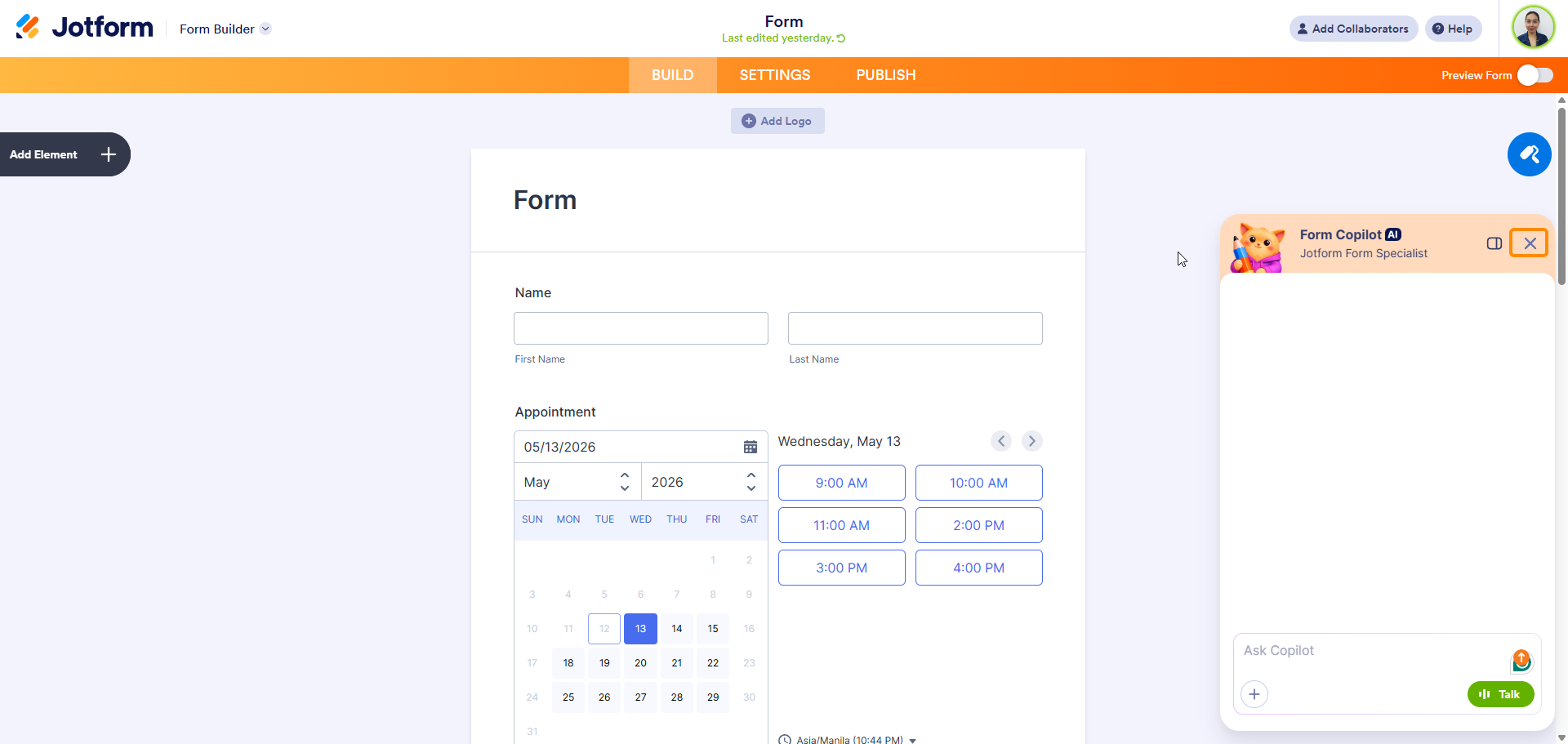
Is there a way to turn off all the AI pop-ups? They're quite annoying, whenever I navigate to a new page there's an intrusive "How can I help you?" pop-up, and I can't even fully dismiss the "Ask copilot" prompt. I will never need anything AI-generated, and the constant prompting me about it is getting in the way of utilizing the actual service I'm paying for.
This might be in settings somewhere but I can't seem to find it. Appreciate any assistance.
- Alexander
-
 Podo: Support Specialist
Hi Alexander,
Thanks for reaching out to Jotform Support. I'm an AI assistant here to assist you.
At the moment, we do not have a canned, step-by-step option specifically for turning off all Jotform AI or Copilot pop-ups across the entire interface, and the templates available only cover disabling specific AI Agents or AI features inside forms, apps, or AI Agent Builder. Because of that, there is no documented way in our current resources to globally hide or disable the general "How can I help you?" / "Ask copilot" interface elements in your Jotform account.
Since this is not covered in the existing instructions, I don't know this information and our support team will handle your request.
Reach out again if you need any other help.
-
 Shirized JotForm Support
Hi Alexander,
Currently, there is no dedicated setting in the web interface to globally disable or hide the Podo AI assistant itself (the "Ask Podo Anything" panel and related prompts) the way you might turn off a feature in Account Settings. Right now, to remove Form Copilot, you just need to click on the X button.

While the feature you're looking for isn't available at Jotform right now, we've gone ahead and escalated your request to our developers. Exactly when or if it's developed depends on their workload, how viable it is, and how many other users also request it. If there are any updates, we’ll circle back to this thread and let you know.
Thanks for your patience and understanding, we appreciate it.
-
 pgrunyan55
I HATE clicking the X to turn off the AI prompt EVERY time I want to enter something in this app. Please make enabling turning off the prompt an option ASAP!
Thanks - Pam


Your Reply
Something Went Wrong
An error occurred while generating the AI response. Please try again!