-
 AgoVires
Is there an issue at the moment with Jotform? I have several different users say they are having difficulty filling in different forms?
-
 Kevin JotForm Support
Hi Marco,
Thanks for reaching out to Jotform Support. I had a look at your forms and noticed the Jotform Sign documents are showing the following message:

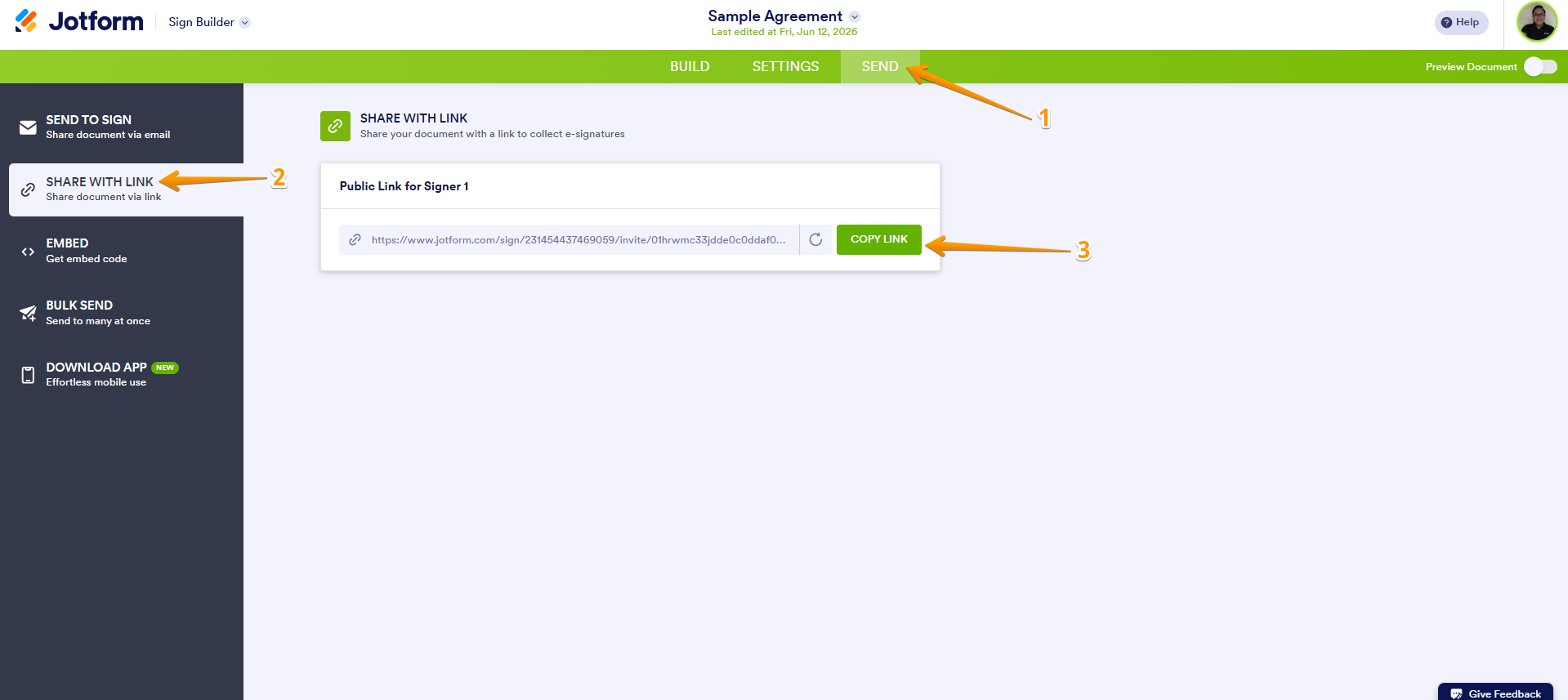
But this happened since I'm not opening the link with the invitation to sign from your document. If your users are getting the same, just make sure that you're sharing the correct document URL. Here is how to find it:
1. In Jotform Sign Builder, click on the Send tab.
2. Next, click on the Share With Link option on the left side menu.
3. Click on the green Copy Link button beside the Public Link section.
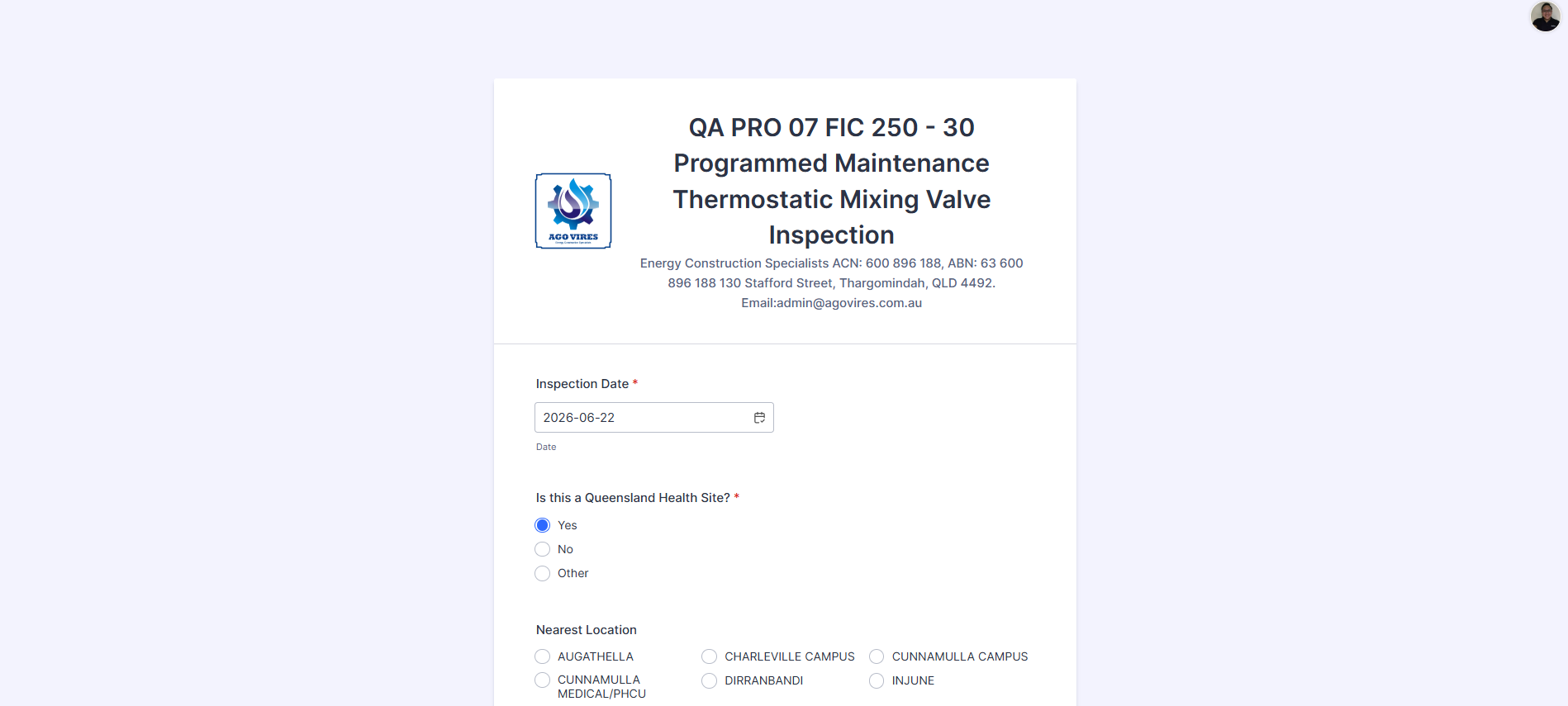
The rest of your forms are loading without any issues, here is a screencast of what I could see on my end:
If you're still experiencing the issue, you can share a screenshot of the message they get. Let me show you how to post a screenshot to our Help Center:
1. On the Help Center page, scroll down to the Your Answer section and click on the Image icon.
2. Drag and drop your image into the Upload box, or click on it and select your file.
3. Then, click on the Add button in the bottom-right corner of the window.
4. To resize it, click on your screenshot and then click on one of the boxes in the corners, and drag it inward.
5. Once you're finished, click on the Post Answer button at the bottom right of the Your Answer section.


Your Reply
Something Went Wrong
An error occurred while generating the AI response. Please try again!