License Management App helps teams capture, organize, and review license records in one place so renewals don’t get missed. Use it to add new licenses through a simple intake flow, browse an up-to-date license list, open individual license details, and keep an eye on upcoming renewals. It’s a practical fit for HR and people ops teams tracking employee certifications, IT departments managing software and vendor licenses, facilities teams monitoring permits, and operations leaders who need a clear view of what’s active, expiring, or overdue.
With Jotform, you can turn this app template into a branded self-service experience using a no-code app builder and a drag-and-drop interface. Connect the app to your existing data collection processes, route updates through connected workflows, and keep information consistent across teams. Share the app by link for quick access, customize pages and navigation as your process evolves, and use built-in reporting views to spot renewal patterns and stay organized without extra manual tracking.
Related templates

Startup Guide App
Ready to launch your very own startup? Get started with Jotform’s free Startup Guide App designed to help you turn your business vision from idea to reality. This ready-to-use mobile app template includes a link to our bootstrapping guide, inspirational quotes from business leaders, and multiple checklist forms to help guide you through the process of testing your concept and building your business plan. Responses will be synced to your secure Jotform account, which lets you view your data in whatever way works best for you — be it an inbox, spreadsheet, or as easy-to-read cards.This Startup Guide App is ready for you to use as is — but if you’d like even more from it, feel free to customize it using our drag-and-drop builder. With just a drag and drop, you can add or remove forms, include tables and documents, embed links to other websites, upload photos or videos, create new pages and buttons, update fonts and colors to match your branding, and change the app icon and name to better represent your business. When you’re happy with how the app looks, download it onto your favorite device for easy access. You can even share it with other aspiring entrepreneurs via the app link or email invites. Get your business ideas off the ground with a comprehensive and easily-accessible Startup Guide App powered by Jotform.
Go to Category:Checklist Apps
Support Ticket App
Jotform's Support Ticket App template allows customer support teams and IT departments to efficiently manage customer inquiries and issues without any coding. This free, no-code app builder enables users to create a fully customized app with forms, widgets, products, and branding that can be downloaded onto any device. With this template, support teams can collect tickets and feedback to streamline their ticketing system and provide timely assistance to customers.Are you looking for a way to simplify your customer support process? Jotform's Support Ticket App template is the solution you need. With features like a drag-and-drop builder, powerful app elements, and 70+ app widgets, you can create a seamless experience for your customers. Improve user engagement with push notifications and give users access to their submission history. Experience the ease of use and customization that Jotform Apps offer, making it the perfect choice for customer support teams and IT departments.
Go to Category:Customer Portal Apps
It Help Desk App
It Help Desk App gives teams a clear place to route internal tech issues and keep requests from getting lost in chat threads and inboxes. Employees can submit a ticket, check their open tickets, and review request details like priority and issue type in one simple experience. It works well for IT departments, managed service teams, and fast-growing companies that need a consistent way to capture problems, assign attention, and follow up without confusion.With Jotform App Templates, you can publish a self-service help desk that connects pages, buttons, and lists to the forms and tables behind your process. Build and update your workflow in a no-code app builder with a drag-and-drop interface, then share the app as a single link for quick access on any device. Jotform supports reliable data collection and organized request tracking, so your team can spend less time searching for context and more time resolving issues.
Go to Category:Information Technology Apps
Bug Tracker App
A bug tracker app is used by IT professionals to record bugs and track technical issues on the go. With Jotform’s free Bug Tracker App, your IT department can enjoy a more seamless way to track and manage bugs on any device! You can enter the bug type, add a description of the bug, upload photos or screenshots, and input URLs to keep a complete log and address issues with your team.Drag and drop to make changes to this app template without coding. Feel free to add images or upload your company logo, add more forms or spreadsheets, and update other design elements like app icon, background, and font type. Then share your custom Bug Tracker App with members of your team to download onto their smartphone, tablet, or computer and gather data on the go.
Go to Category:Tracker Apps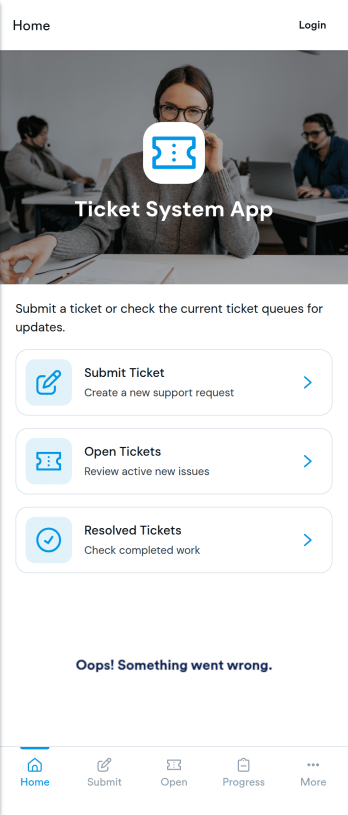
Ticket System App
A ticket system app gives teams one place to capture requests, track progress, and keep support work organized from the first report to the final resolution. This Ticket System App works well for IT help desks, customer support teams, facilities departments, and internal operations groups that handle recurring issues and questions. Users can submit new tickets, browse open tickets, and review resolved tickets so nothing gets lost in email threads. It’s especially useful when multiple people need visibility into what’s being worked on and which requests still need follow-up.Jotform makes it easy to turn this workflow into a shareable, branded experience using App Templates and a no-code app builder. With a drag-and-drop interface, you can adjust navigation, add helpful content, and connect your ticket form to the app for consistent data collection. Publish the app as a self-service hub for employees or customers, keep ticket details accessible in one place, and update the experience as your workflow evolves.
Go to Category:Information Technology Apps
It Support App
It Support App helps teams centralize everyday IT help desk requests so employees can report issues, check service status, and find answers without guessing who to contact. It works well for internal IT departments, MSPs supporting multiple clients, and operations teams that need a simple front door for support. With clear entry points for creating a new ticket, browsing a knowledge base, and viewing service status updates, the app reduces repeated questions and keeps requests organized from the start.Built with Jotform App Templates, this app template can be tailored in a no-code app builder with a drag-and-drop interface, so you can adjust pages, labels, and navigation to match your support process. Connect ticket intake to Jotform forms and route responses into workflows your team already follows, then share the app via link or QR code for easy self-service on any device. As requests grow, Jotform helps you keep data collection consistent and make support interactions faster for both employees and IT staff.
Go to Category:Information Technology Apps