Restaurants Point of Sale App helps food and beverage teams take orders, record sales, and keep daily transactions organized in one place. Staff can start an order from a simple product list, jump into open orders to keep service moving, and log new sale records for accurate tracking across shifts. It’s a practical fit for quick-service counters, cafés, food trucks, bars, and small dining rooms that want a clear, consistent way to handle order flow without relying on scattered notes or multiple systems.
Built with Jotform, this app template can be adapted with a no-code app builder and a drag-and-drop interface so you can match your menu, workflow, and front-of-house process. Connect the app to your forms and data collection tables to store sales records, review activity over time, and keep information accessible for the right team members. Share it with your staff through a link so they can use a mobile-friendly self-service experience on the floor, at the counter, or wherever orders happen.
Related templates

Restaurant Waitlist App
No matter what cuisine your restaurant serves, our free Restaurant Wailist App makes scheduling reservations easy for your customers. This ready-to-use app includes a Restaurant Reservation Form that can be filled out from any smartphone, tablet, or computer. Customers can enter the amount of guests, select an occasion, and add special requests to place their reservation requests. You can then view entries in your Restaurant Reservation Sheet and even set up an automated approval flow with our Restaurant Reservation Approval Process Template.Need more from this Restaurant Waitlist App? No problem — simply use our drag-and-drop builder to make any changes you’d like to this app template. You can add a dropdown calendar to the reservation form, create more forms or surveys, embed links to your menu, upload your logo, and include your branding with ease. When your app is ready to use, display the app link on your website for customers to download onto their own device. Make the reservation process easier than ever with a custom Restaurant Waitlist App!
Go to Category:Booking Apps
Restaurant Ordering System App
A restaurant ordering system app gives guests a simple way to browse your menu, check today’s specials, and place orders from one central, mobile-friendly experience. This template works well for dine-in, takeout, and limited delivery operations that want to reduce phone congestion and help customers order with fewer questions. Use it to guide guests to key ordering pages, highlight featured items with visuals, and offer a quick call option for customers who still prefer speaking with your team.With Jotform, you can turn this app template into a branded ordering flow using a no-code app builder and a drag-and-drop interface that’s easy to maintain as your menu changes. Connect your ordering and request forms to support data collection, route details to the right staff with workflow automation, and keep the experience consistent across devices so customers can self-service from a link or QR code.
Go to Category:Restaurant Management Apps
Kitchen Management App
Kitchen Management App brings daily kitchen operations into one place so teams can stay organized during busy shifts. Use it to track inventory items, assign and follow prep tasks, run cleaning checks by area, and log issues as they come up. It’s a practical fit for restaurants, cafés, catering teams, and food trucks that need clearer handoffs between managers, cooks, and opening or closing staff without relying on scattered notes or messages.Jotform makes it easy to turn this kitchen workflow into a shareable, mobile-friendly experience with a no-code app builder and a drag-and-drop interface. Connect the app to forms for fast data collection, keep records organized for your team, and build simple workflow steps around restocking, prep planning, sanitation routines, and issue reporting. With Jotform App Templates, you can customize pages, branding, and navigation, then publish and share the app with the people who need it most.
Go to Category:Restaurant Management Apps
Restaurant Management App
A restaurant management app for internal use makes it easier to track inventory, manage staff, and keep your restaurant running smoothly. No matter what type of cuisine your restaurant serves, build your own app with our free Restaurant Management App template. This pre-made template keeps opening and closing checklists and manager review forms in one place. Members of your staff will be able to open and download the app onto any smartphone, tablet, or computer.Customize this Restaurant Management App for your restaurant in just a few clicks. No coding necessary — simply drag and drop to add or delete forms, text, images, links, and much more. When it’s ready, you can download the app onto any device or share it with members of your staff to save onto their own devices. You’ll receive form entries instantly in your secure Jotform account. Manage all restaurant operations from one place with a fully-custom Restaurant Management App.
Go to Category:Management Apps
Food Delivery App
A food delivery app is used by food delivery services to communicate with customers, and drivers, while also providing an enhanced customer experience. This template is ideal for restaurants, food trucks, or anyone who may deliver the food ordered by their customers. Wondering how to sell food deliveries online? Whether you've got a restaurant, diner, or small cafe, our Food Delivery App is the perfect way to take online delivery orders and payments. This app template comes readymade with a product list where customers can view your menu and input their delivery address and payment information. You can even showcase signature and seasonal dishes, run promotional campaigns, and gather feedback. Customers can open and download your app on any smartphone, tablet, or computer.Want to make this Food Delivery App your own? Our drag-and-drop interface allows you to add forms, change fonts and colors, upload your logo and thumbnail images for menu items, and completely customize the look of your app icon — with no coding necessary. After that, simply share the link on your website or social media and you’re off and running. Start taking online delivery orders today to sell food deliveries online with this free Food Delivery App!Please refer to our article for further tips on creating a food ordering and delivery app.
Go to Category:Delivery Apps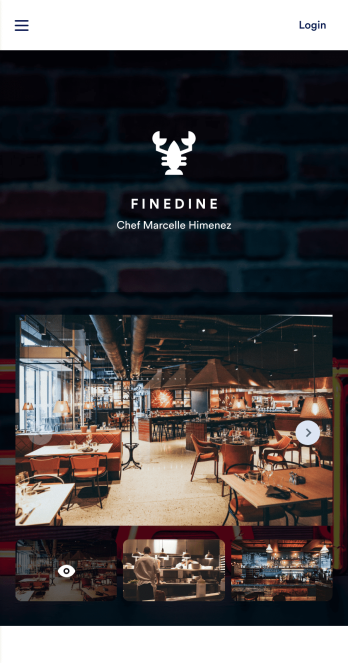
Table Booking App
A table booking app is a great way to build a micro-website for your restaurant. This free and mobile-ready app template allows diners to make table reservations days ahead of time, view photos of the dining area and menu items, and contact your restaurant via email or phone. You can also create additional pages and add them to your app’s topbar with the click of a button. Reservations are instantly stored and synced to your secure Jotform account, and can be accessed by restaurant staff from any device.Making changes to this Table Booking App template is a cinch with Jotform’s intuitive no-code app builder. Simply drag and drop to customize your table reservation page, upload images of your restaurant and entrées to the main page image carousel, add social media widgets, choose fonts and colors, and add your own branding with just a few clicks. Embed a link to your app in your website or share it on social media — diners can then make table reservations from their favorite device. Create a fully customizable mobile-ready app for your restaurant in minutes with this Table Booking App from Jotform.
Go to Category:Booking Apps