
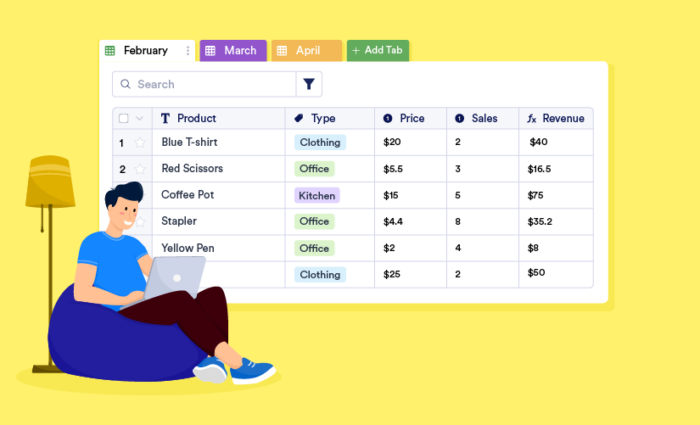
A quick guide to pick the best Google Sheets alternative
- Microsoft Excel is the best overall spreadsheet alternative.
- Jotform Tables is the best choice for no-code workflows and real data collection.
- Airtable is the best choice for database-style organization and collaborative work tracking.
- Smartsheet is best for project tracking and operations management.
- Coda is a strong choice for teams that want docs, tables, and collaboration in one workspace.
- Rows is best for modern spreadsheets with integrations and API-connected workflows.
- LibreOffice Calc is the best open-source desktop alternative.
When choosing a spreadsheet, most businesses begin with Google Sheets. It is free, requires no setup, and is accessible enough that anyone on the team can jump in without training. For lightweight collaboration, such as tracking tasks, sharing data, and running simple calculations, Google Sheets does the job well. (If you’re still getting started, here’s how to use Google Sheets before exploring alternatives.)
However, many teams eventually outgrow Google Sheets. As datasets grow and formulas get more complex, Sheets slows down significantly. It also lacks relational data capabilities, making it difficult for teams to manage interconnected records without resorting to multiple tabs and fragile workarounds. And if your team needs structured data collection, automated reporting, and operational workflows, Sheets simply isn’t built for that.
If you value the accessibility of Google Sheets but need a more powerful spreadsheet or a database-style workspace, this article is for you. Here you’ll find the seven best Google Sheets alternatives for data analysis, relational datasets, and workflow automation.
7 Google Sheets competitors and alternatives at a glance
| Tool | Best for | Key features | Pricing |
|---|---|---|---|
 Microsoft Excel |
Data-heavy workflows and advanced calculations |
Advanced formulas, extensive data visualization options, and dynamic reporting tools such as PivotTables |
$179.99 for one PC or MacMicrosoft 365 from $6/user/month |
 Jotform Tables |
No-code workflow automation and data collection |
Form-to-table automation, Action Buttons, approval flows |
FreePaid plans from $39/month |
 Airtable |
Connecting data by linking records across tables |
Relational database, multiple views, native automations |
FreePaid plans from $20/user/month |
 Smartsheet |
Large-scale project and task management in a spreadsheet-like interface |
Project tracking tools, live dashboards, native automations |
Paid plans from $9/user/month |
 Coda |
Combining docs, tables, and automation in one place |
Docs, tables, and app building in one workspace; native integrations; free viewer seats |
FreePaid plans from $10/doc maker/month |
 Rows |
Live data analysis in a modern spreadsheet interface |
50-plus native integrations, built-in AI analyst, shareable dashboards |
FreePaid plans from $6/user/month |
 LibreOffice Calc |
Open-source spreadsheet with offline access |
Full spreadsheet functionality, Python scripting, Excel file compatibility |
Free |
Tired of manual entries?
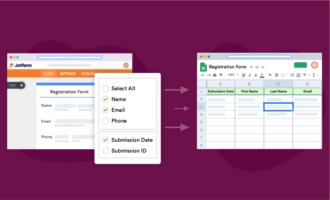
If you’re looking for a better way to fill your spreadsheets, check out Jotform Google Sheets integration. Every submission becomes a new row instantly, with no exports, CSVs, or manual cleanup.
Whether you’re tracking leads or managing inventory, let your data organize itself so you can spend 2026 focusing on decisions, not data entry.
1. Microsoft Excel
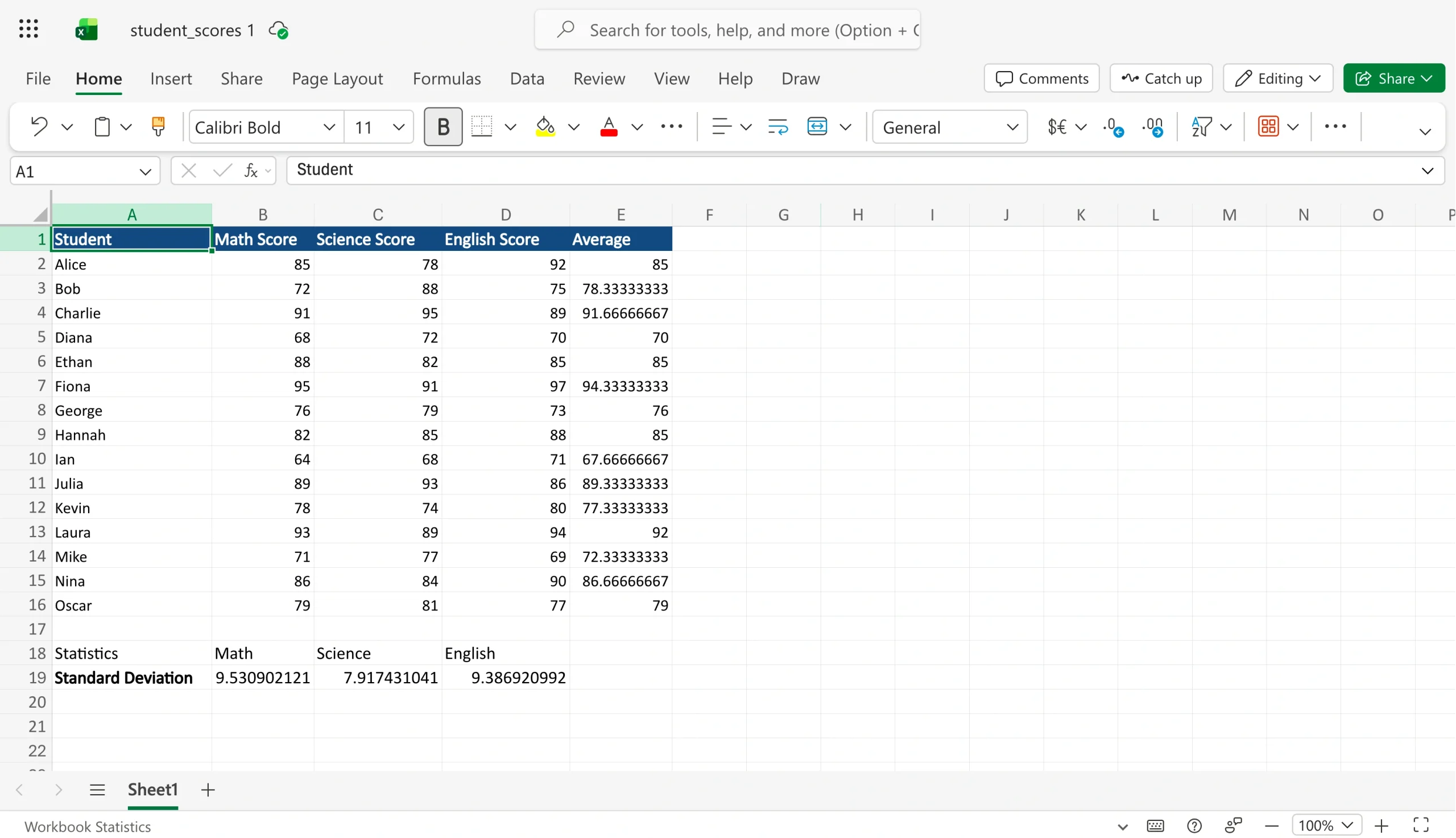
If you’re exploring a Google Sheets alternative because of performance issues or gaps in data manipulation, Microsoft Excel is the most direct upgrade. While primarily a desktop app accessed offline, it has a cloud-based version, Microsoft Excel online, that allows multiple users to collaborate.
Compared with Google Sheets, which has a cell limit of 10 million, Excel natively supports up to 17 billion cells, making it well suited for managing massive datasets without the performance slowdowns that can make Google Sheets frustrating. Excel offers advanced functions and statistical tools for analyzing and manipulating data. For instance, if you’re a financial analyst, you can use tools such as Power Query and Power Pivot to clean up messy data, automate data transformation, and model complex datasets. Such work would be almost impossible to manage in Google Sheets.
Excel also provides more options for data visualization. In addition to standard charts and graphs, it offers advanced options such as interactive dashboards, pivot charts, box-and-whisker plots, and conditional formatting for data bars, giving you more flexibility in how you present and report on data.
While Excel is a strong fit for work requiring serious data crunching, it’s not the right tool for every team. It requires a Microsoft 365 subscription for full access, has a steep learning curve, and doesn’t allow for the smooth collaboration you get from a browser-native tool such as Google Sheets. If you’re already working in Excel, here’s how to convert Excel to Google Sheets if you need to move your data across platforms.
Pros
- Ability to handle large datasets without performance issues
- Strong data visualization options, including chart types unavailable in Google Sheets
- Deep formula library and tools for advanced data work
Cons
- Steeper learning curve compared with Google Sheets
- Real-time collaboration that still lags behind browser-native tools
- Lack of audit trail, which causes version control issues
Pricing
- Excel standalone software: $179.99 for one PC or Mac
- As part of Microsoft 365: business plans starting at $6 per user, per month (billed annually)
Stop wasting hours on manual data entry
Create a seamless bridge between data collection and analysis with Jotform and Microsoft Excel integration: Your form responses flow directly into your spreadsheets in real time.The integration requires zero coding or copy-pasting, and it leaves zero room for human error. Connect your first form and watch your rows fill themselves.
2. Jotform Tables
For a lot of teams, Google Sheets becomes the default home for contact details, intake requests, approval tracking, client data, and everything else. Before you know it, managing the spreadsheet becomes a full-time task in itself. Jotform Tables is built for teams that have reached that point. It’s a spreadsheet-powered database that connects directly to Jotform’s form builder, giving teams a more structured starting point for collecting, organizing, and acting on data.
Once you set up a form, every submission flows directly into a corresponding table, organized from the moment it arrives. From there, you have more flexibility than most standard spreadsheets allow. Preset and custom column types let you organize data the way your workflow runs. Formulas and logical functions handle calculations without coding. You can assign entries to teammates; set filters with conditional logic; connect multiple tables to keep related datasets in sync; and switch between table, card, and calendar views, depending on how your team needs to see the data.
Where Jotform Tables outclasses Google Sheets is in what it enables you to do with your data once it’s organized. The spreadsheet database tool includes Action Buttons that let you trigger workflows directly from a table row without leaving the workspace or connecting a third-party automation tool. From your data, you can generate instant reports with Jotform Report Builder and turn data into visual charts or downloadable PDFs in one click. If you need to share your processes with clients or external stakeholders, you can build shareable apps on top of your tables and forms without any coding.
Jotform Tables isn’t a formula-heavy alternative to Google Sheets. Hence, it’s not suited for advanced calculations and analysis. Instead, it’s a better fit for teams that want to replace scattered spreadsheets with a more structured operational system for organizing data and automating workflows.
Pros
- Ability to organize data from connected forms without manual effort
- Multiple views, column types, and templates that allow you to manage every kind of data
- Trigger and Action Buttons for automating workflows directly from the data in your table, with no coding required
Cons
- Possible slower loading with larger datasets
- Inability to handle complex analytical data modeling
Pricing
- Free plan
- Bronze: $39 per month (billed annually)
- Silver: $49 per month (billed annually)
- Gold: $129 per month (billed annually)
3. Airtable
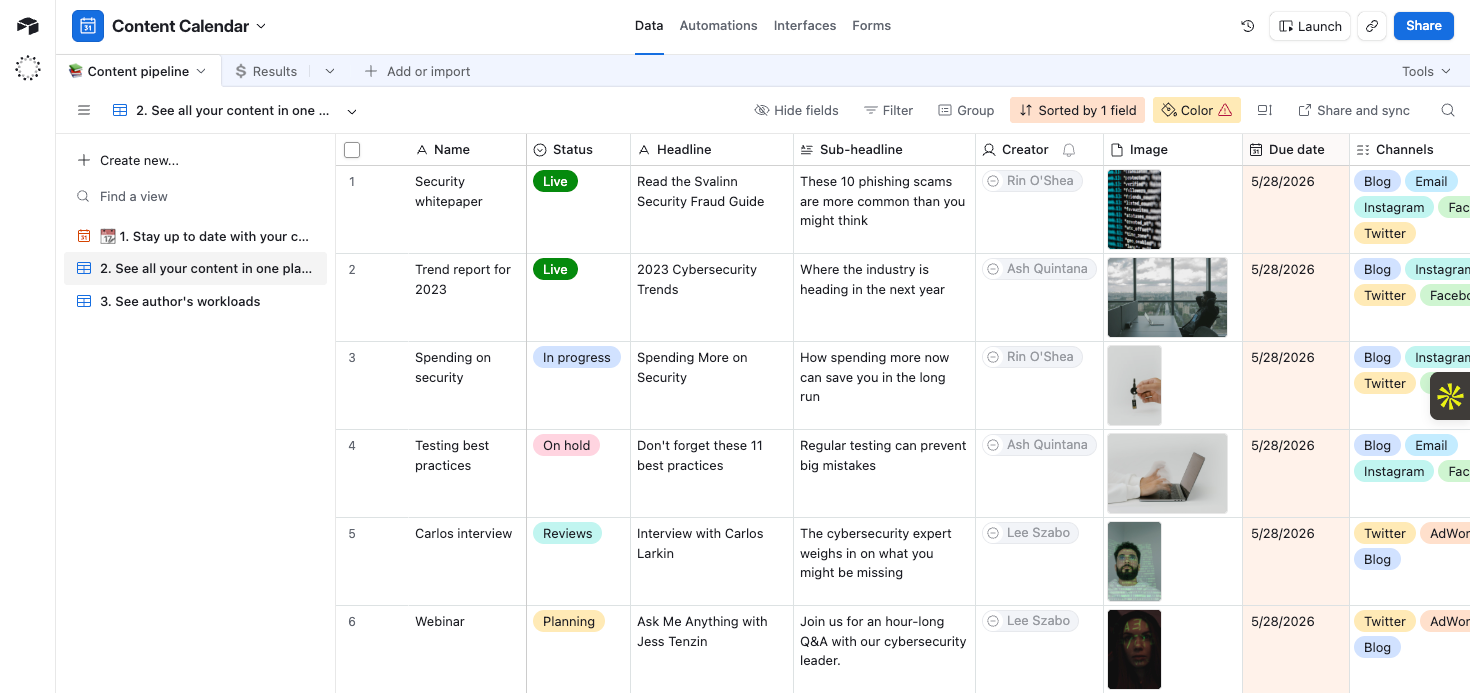
Airtable has the familiar spreadsheet-style interface of Google Sheets, but at its core, it is a relational database that lets you connect data by linking records across tables. This means an operations manager, for instance, can link a client table to an invoices table, so every invoice is automatically associated with the right client, and they can do it without writing formulas or manually cross-referencing anything. This linked-record functionality, which is impossible in Google Sheets, allows you to build several complex, interconnected workflows.
Airtable gives you multiple ways to view and interact with the same data. From kanban boards to Gantt charts, calendars, and timelines, all views pull from the same underlying dataset, so you can switch between views without duplicating or reformatting anything. The platform’s Interface Designer extends views by allowing your team to build role-specific dashboards and lightweight internal apps on top of your data, so that different people see exactly what they need without navigating the full database. Airtable also has native automation that handles repetitive triggers such as sending notifications, updating records, and creating tasks, with no third-party integration needed.
Airtable, however, is less suited for teams that primarily need formula-heavy analytical work. It’s also more expensive than Google Sheets, which is free for most users.
Pros
- Relational database structure for linking and syncing data without formulas
- Custom views and lightweight internal apps, built without code
- Built-in automation
Cons
- Per-seat pricing that scales quickly for growing teams
- Inability to handle complex calculations or analytical modeling
- Very limited free plan
Pricing
- Free plan
- Paid plans from $20 per month
4. Smartsheet
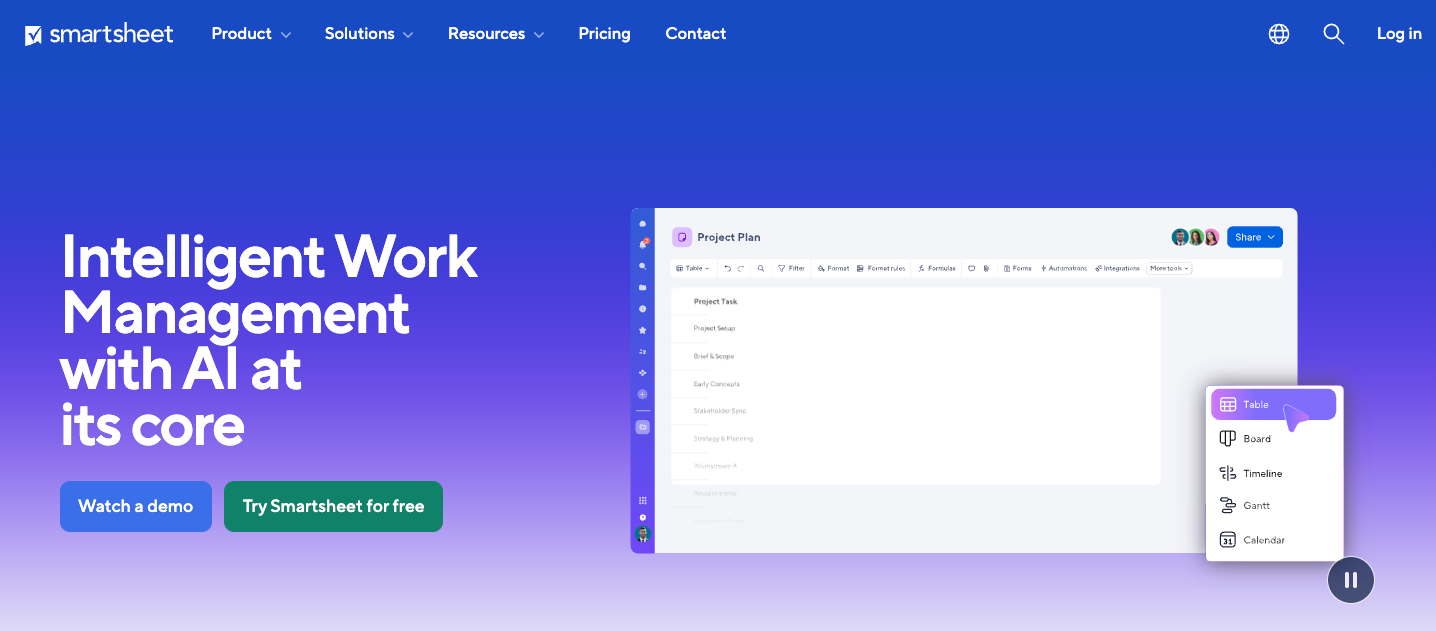
Smartsheet is a spreadsheet-based software popular among project managers and operations teams that have outgrown Google Sheets. The platform uses the grid-style interface that spreadsheet users are familiar with, then layers on project tracking, workflow automation, reporting dashboards, and resource management tools that Google Sheets doesn’t offer.
Whether you need to track timelines and dependencies or set up agile workflows, you can customize your data display and collaborate using Grid, Gantt, Board, Calendar, Timeline, or Table views. Unlike Google Sheets, Smartsheet allows you to set up automated alerts, establish recurring workflows, and track performance across projects without scripting or third-party integrations. On the reporting side, Smartsheet offers live dashboards that pull data from multiple sheets into a single view, giving everyone an up-to-date picture of progress, with no manual compiling.
Despite its familiar grid interface, Smartsheet has a steep learning curve, especially when working with advanced features such as formulas and automation. Smaller teams with simple project management needs may find it too complex for daily use. It also has hard data caps. For instance, a single sheet is limited to 20,000 rows, 400 columns, and 500,000 cells, and formula strings in a single cell cannot exceed 4,000 characters. For teams managing large or complex datasets, these limits can quickly become an issue.
Pros
- Spreadsheet-style interface with multiple views
- Native workflow automation without third-party tools
- Live dashboards that consolidate data from multiple sheets in real time
Cons
- No free plan, only a 30-day trial
- Steeper learning curve for nontechnical users
- Timeline view that is locked behind business and enterprise plans
Pricing
- Pro: $9 per user, per month (billed annually)
- Business: $19 per user, per month
- Enterprise: custom
Pro Tip
Considering Smartsheet but want to see how it stacks up against similar tools? Check out our breakdown of the best Smartsheet competitors to find the right fit for your team.
5. Coda
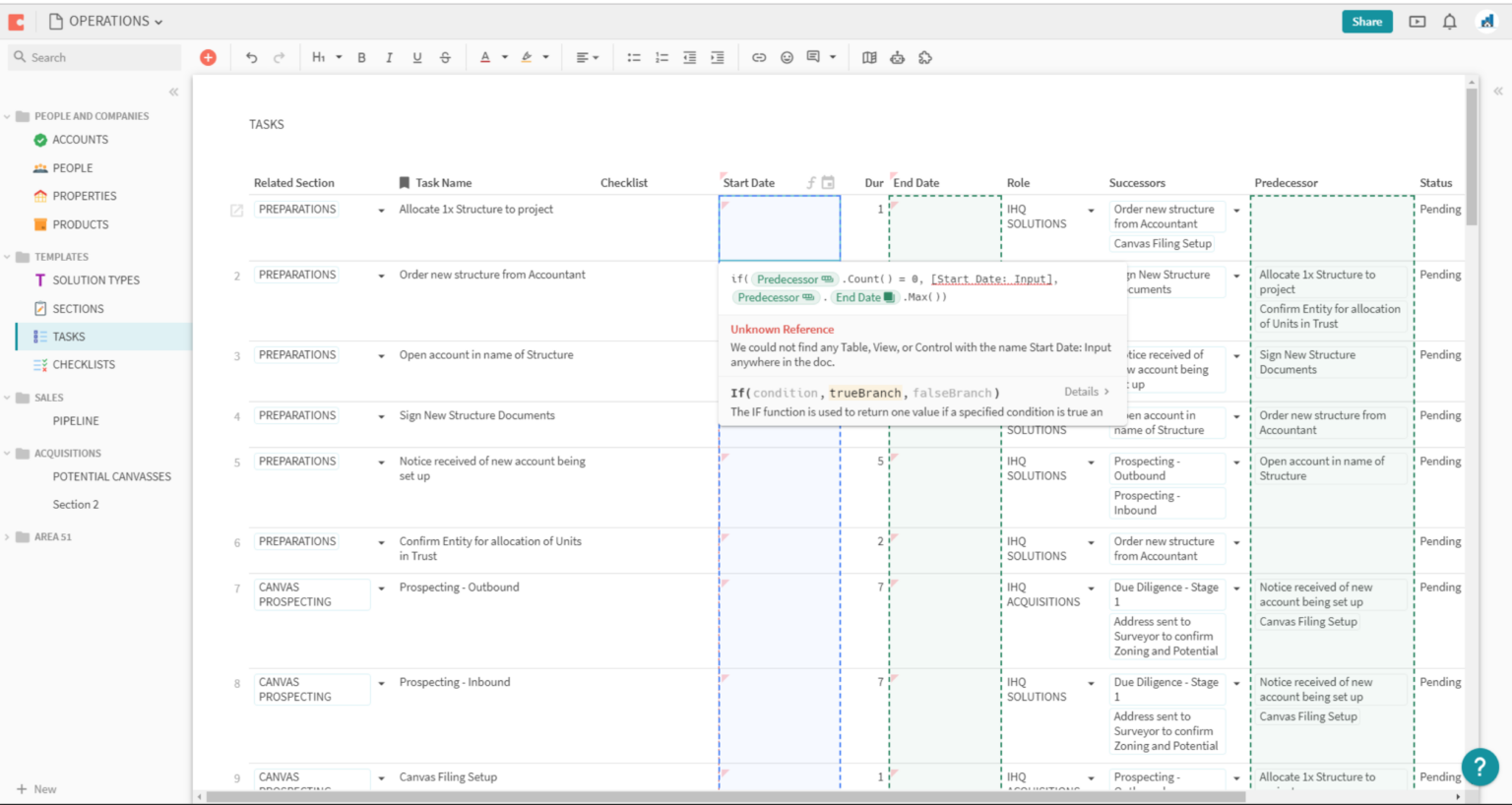
Coda is a solid Google Sheets alternative that combines documents, spreadsheets, and lightweight app-building into a single interactive workspace, so teams can write, organize data, and automate workflows without switching between applications.
Tables in Coda work similarly to Google Sheets but go further. They support rich column types, connected views, and relational data, allowing teams to link tables together and build formulas that reference data across them. Coda Docs can hold rich text, interactive content, and knowledge hubs. Packs, Coda’s native integration layer, connects your doc directly to tools such as Slack, Google Calendar, and Salesforce, pulling live data in or pushing updates out without a third-party automation tool.
Coda is significantly cost effective. The platform charges only for Doc Makers, users who create and edit documents. Viewers are free. It is ideal for teams looking to replace scattered spreadsheets and documents with a single, highly structured workspace. But it’s not the right fit if you need serious spreadsheet power to process large volumes of financial or mathematical data.
Pros
- Limited context switching, with consolidated docs, tables, and automation
- Free viewer seats
- An AI-powered assistant that works within docs to automate tasks and extract insights from your data
Cons
- Performance lag with large datasets and complex formulas
- Steep learning curve for spreadsheet users
- Inability to handle analytical or data-heavy work
Pricing
- Free
- Pro: $10 per Doc Maker, per month
- Team: $30 per Doc Maker, per month
- Enterprise: Custom
Pro Tip
If Coda is close to what you need but not quite right, explore the best Coda alternatives for teams looking for a similar all-in-one workspace.
6. Rows
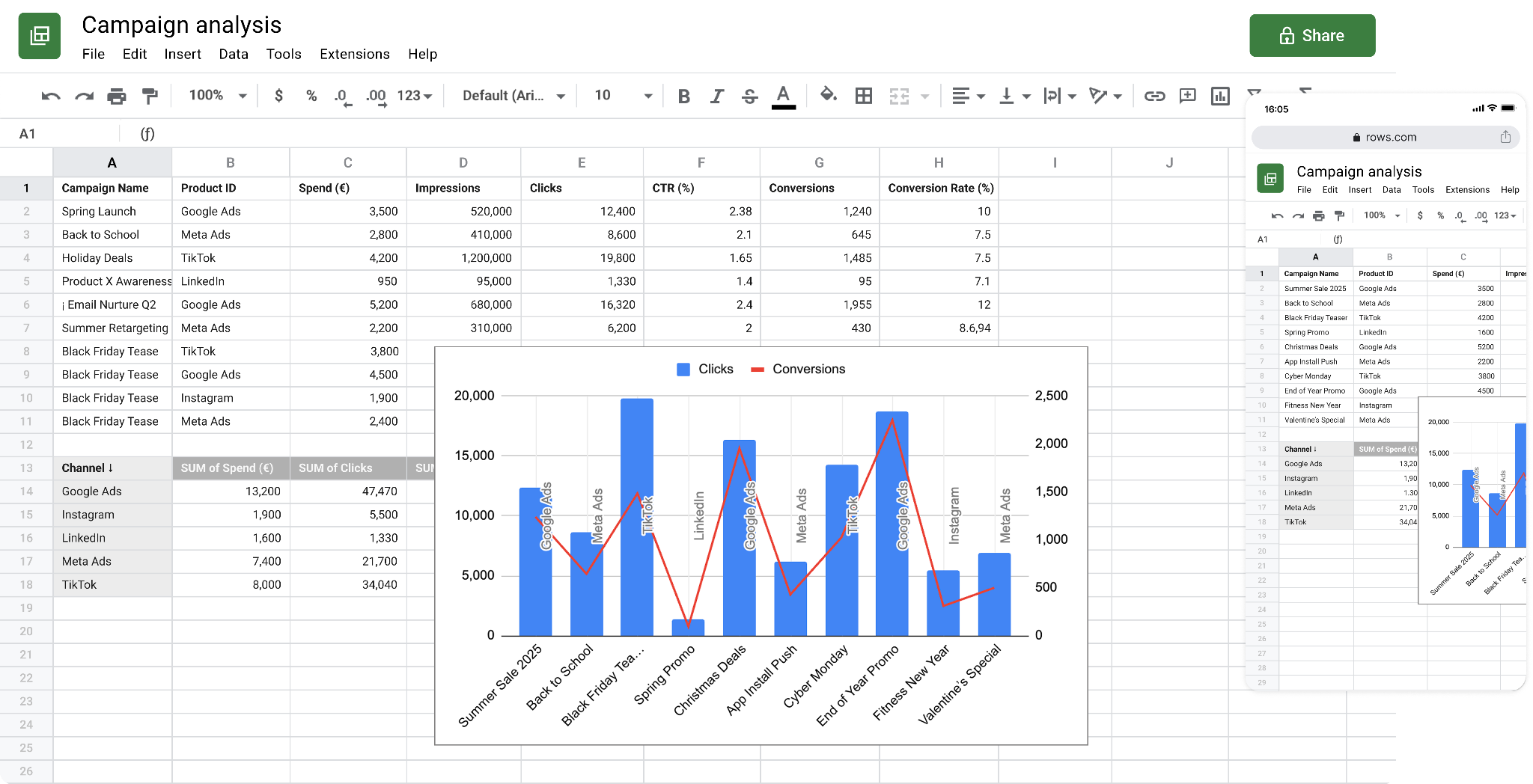
Rows is modern spreadsheet software that retains the familiar grid interface of Google Sheets while adding native integrations and AI-powered analysis that Sheets doesn’t offer. You can connect Rows to 50-plus data sources, including CRMs, ad platforms, databases, and SaaS tools, and have data flow automatically into your spreadsheet on a schedule.
From there, you can format, organize, and manipulate data using the traditional formulas you’d use in Google Sheets. Rows includes a built-in AI analyst that can extract data from documents, create reports, merge datasets, and perform advanced data analysis. So, instead of writing formulas to interrogate your data, you can describe the spreadsheet operation you want to run in natural language, and the AI executes it directly in the spreadsheet. This AI function makes Rows accessible to teams that don’t often write formulas.
Rows isn’t designed for relational data structures, project management, or complex data modeling. It is built for data workflows, so teams that primarily use spreadsheets to analyze, report, and share data will benefit more from it.
Pros
- Built-in AI that handles analysis and reporting conversationally
- Built-in automation for scheduling data transfers and refreshes without code
- Real-time collaboration on spreadsheets with teammates
Cons
- No relational data or project management use cases
- Cap of 100,000 rows or 1 million cells, significantly less than the limits in Google Sheets
- Very limited free plan
Pricing
- Free
- Plus: $6 per user, per month (billed annually)
- Pro: $59 per user, per month (billed annually)
- Enterprise: Custom
7. LibreOffice Calc
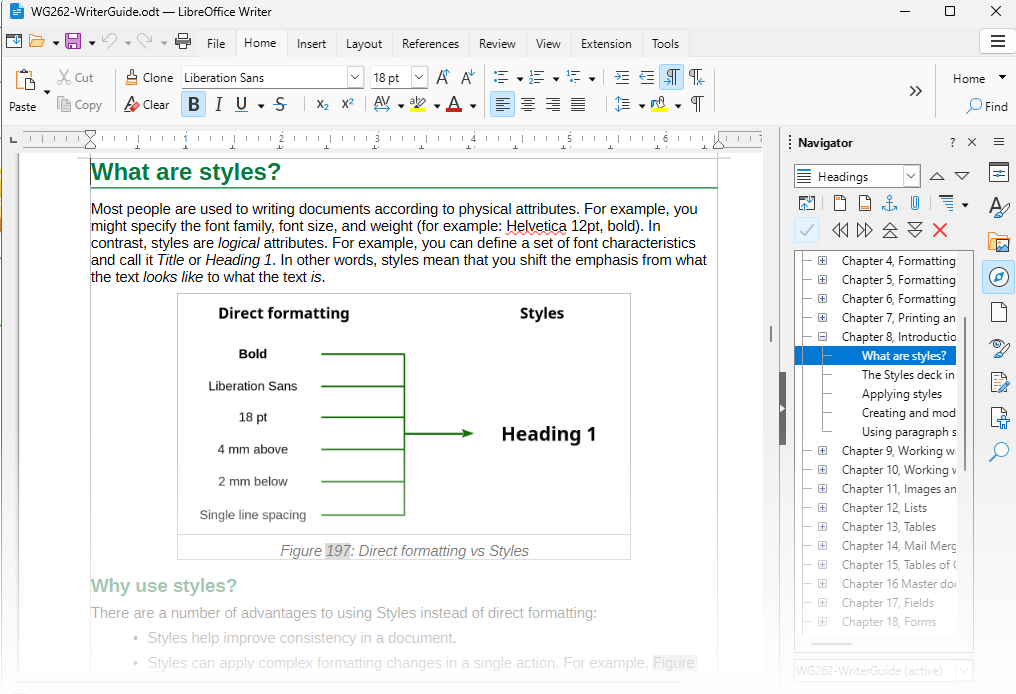
LibreOffice Calc is open-source spreadsheet software that runs entirely on your desktop, whether you’re on Windows, Linux, or macOS. It covers the full range of spreadsheet functions, including formulas, pivot tables, charts, and macro-based automation using LibreOffice Basic or Python, giving LibreOffice Calc more native automation flexibility than Google Sheets offers.
LibreOffice Calc is completely free. If your organization works primarily offline or handles sensitive data you’d rather keep local, LibreOffice Calc is a practical Google Sheets alternative. However, the platform lacks real-time collaboration, modern AI features, and the native integrations that no-code workflow tools such as Rows and Coda offer.
Pros
- Free
- Full spreadsheet functionality, including pivot tables, macros, and Python scripting
- Compatibility with Excel file formats, with no reformatting required
Cons
- No real-time collaboration or native cloud sync
- Dated interface compared to modern spreadsheet tools
- No built-in AI features or native third-party integrations
Pricing
- Free
The best Google Sheets alternative is the one that suits you
Ultimately, the right spreadsheet alternative for your business depends on where Google Sheets falls short for you. If you’re struggling to keep your data organized, track processes, and coordinate work across your team in Sheets, Jotform Tables offers a better long-term solution, not just an alternative. Instead of juggling multiple spreadsheets, chasing updates across tools, and manually entering data that should flow in automatically, use Jotform Tables to bring your data collection, organization, and workflows into one place.
Getting started is easy. Create a form to collect clean, structured data and watch that data flow directly into Jotform Tables, with no connections or setup required. If you want to work with existing data, import CSV or Excel files directly into Jotform Tables. Then start organizing details with preset and custom columns. You can analyze data with formulas and logical functions, assign tasks to team members, and collaborate in real time without switching between multiple windows.
Jotform Tables lets you view your data in the way that works best for you. Switch between cards, calendar, or table view. Then take your data management further with Action Buttons that trigger workflows directly from the data in your table. For instance, you can automatically send emails, create PDFs, or send files for signature from Jotform Tables without using third-party apps. Alternatively, you can set up approval flows that route incoming form data to specific columns, tables, or departments based on form submissions. From there, you can generate instant reports, build PDFs, and create app-style experiences that give your team a more polished way to interact with your data. Try Jotform Tables for free today!
This article is for operations teams, small business owners, project managers, marketers, admins, and growing teams looking for an alternative to Google Sheets for organizing data, collaborating, automating workflows, and reducing manual spreadsheet work

















Send Comment: