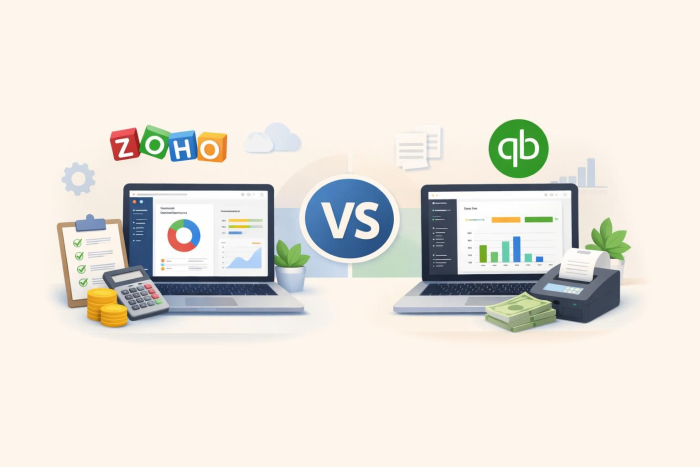
If you’re searching for a cloud-based accounting platform for your small or medium-sized business (SMB), you’ve likely come across the QuickBooks vs Zoho Books debate. Both bookkeeping software options are powerful and offer robust features, but they serve somewhat different needs. Zoho Books is part of a 55-plus app ecosystem designed to unify everything from accounting and inventory management to HR and marketing. QuickBooks Online is the industry standard and the go-to choice for many accountants in the United States.
This guide makes the Zoho Books vs QuickBooks Online decision easier by comparing the platforms’ features, costs, complexity, and accountant relationships.
Quick Zoho Books vs QuickBooks features comparison
 Zoho Books |  QuickBooks Online |  Jotform | |
|---|---|---|---|
| Who should use | SMBs wanting affordable accounting with Zoho ecosystem integration and automation on lower-tier plans | US-based SMBs needing outsourced accounting with extensive third-party integrations | Businesses needing accounting alongside data collection, task assignments, and process automation |
| Integrations | 55+ Zoho apps, Stripe, Avalara, Dropbox | 800+ integrations (CRMs, e-commerce, payments, inventory, project management) | Hundreds of integrations across CRMs, payments, e-commerce, project management, and automation |
| AI features | Zia AI assistant (report insights, transaction creation) | Intuit Assist (Q&A, transaction categorization, anomaly detection, business insights) | Jotform Workflows (no-code workflow builder, e.g. purchase approvals) |
| Free plan/trial | Free plan | 30-day free trial | Free plan |
| Pricing | Offers a free plan, with paid plans starting at $15/month, billed annually | Plans start at $38/month, billed annually | Provides a free plan, with paid plans starting at $34/month, billed annually |
What is Zoho Books?
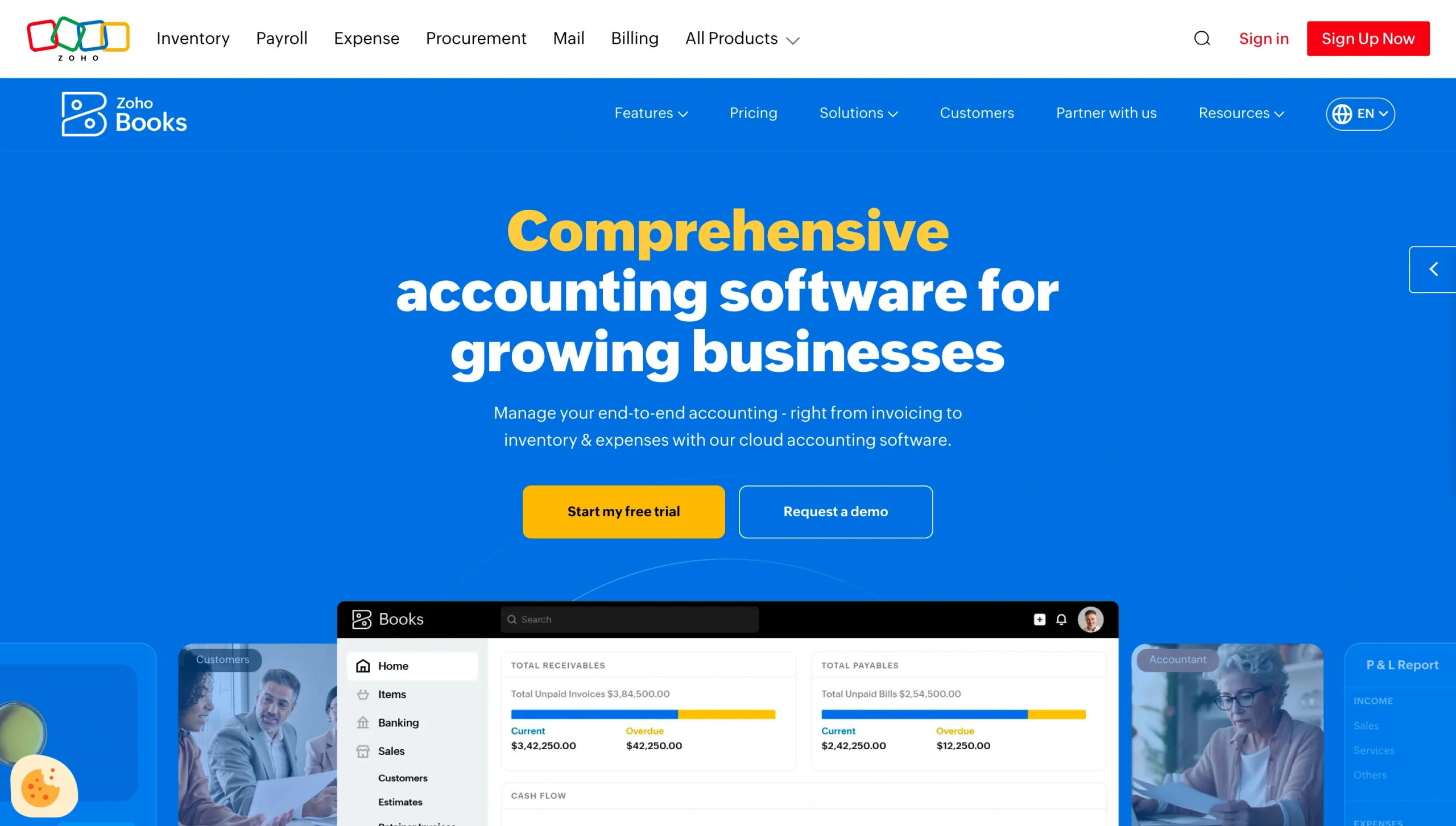
Zoho Books is a cloud-based accounting platform from Zoho Corporation designed to help startups, freelancers, and SMBs manage their finances. It’s part of the broader Zoho Suite, a collection of apps that support CRM, payroll, human resources, customer service, inventory management, and business intelligence.
If you’re already using Zoho apps and need a tool to help manage transactions and accounting tasks, Zoho Books is a great option. It’s one of the best expense management and invoicing software for small businesses because it offers the following core features.
Invoicing
Zoho Books lets you customize and send professional invoices in just a few clicks. It also allows you to set up recurring invoices for subscriptions or retainers, create automated payment reminders, and send multicurrency invoices. If you’re thinking about setting up an invoice approval workflow to minimize errors, Zoho Books’s invoicing feature can support that as well.
Expense tracking
Zoho Books allows you to track all business expenses in one place, from employee per diems to office supply costs. You can also import expenses from credit card statements, automatically scan expenses using your mobile device, bill expenses to the appropriate customers, and generate detailed reports for easy tracking. The platform also supports expense reimbursement tracking for employee out-of-pocket costs.
Bank reconciliation
Zoho Books matches business transactions against bank and credit card statements and your accounting records. It also provides a centralized view of your cash on hand and balances across banks and credit card accounts. You can even set custom bank rules that automatically create entries for recurring bank charges.
Inventory management
Zoho Books breaks down your business’s inventory value, cost of goods sold, and stock levels. When integrated with Zoho Inventory, it also updates your cash flow view when you post a sale or purchase in Zoho Inventory.
Project billing
Zoho Books lets you create custom billing methods. You can bill clients by task hours, project hours, staff hours, or a fixed cost without relying on separate tools. Team members can also log time spent on projects, view unbilled hours and expenses in real time, and automatically invoice clients for recurring work.
Reporting
Zoho Books includes more than 70 built-in reports covering accounts payable, accounts receivable, liabilities, and cash flow. You can export reports as PDFs or spreadsheets, share them directly with stakeholders by email, and automate report delivery on a schedule. The platform also lets you compare financial reports across projects, cost centers, and reporting periods to identify your most profitable investments.
Tax compliance
Zoho Books allows you to connect tax authorities to your account so you can accurately calculate and remit taxes. It also lets you create tax groups for different suppliers and customers, track vendor payments for IRS Form 1099 tax reporting, manage tax exemptions, and generate sales tax liability reports.
AI-powered support
Zoho Books comes with Zia, a conversational AI assistant that can handle day-to-day accounting tasks and quickly retrieve financial information. It can pull data from financial reports, generate summaries, and help you create transaction entries.
Collaboration support
Zoho Books supports collaboration by allowing you to invite stakeholders to your account, manage access levels based on user roles, and leave comments on transactions for quick clarification. It also offers self-service features for external parties:
- Client portal: This feature allows customers to review and accept (or reject) quotes, view their transactions with your business, and pay invoices. It also enables you to collect client reviews and provide real-time responses to questions about quotes, projects, billing, and other issues that may arise.
- Vendor portal: This feature makes it easier for suppliers to share transaction documents such as purchase orders and invoices. You can also add comments to address transaction disputes and collaborate with vendors on resolutions in real time.
What makes Zoho Books’s ecosystem unique?
One of the biggest draws for Zoho Books users is its extensive ecosystem. Zoho Books integrates natively with over 55 Zoho apps, allowing you to share data across multiple business functions without third-party connectors. Here are some of the apps Zoho Books integrates natively with:
- Zoho CRM: Allows sales representatives to view clients’ payment histories and invoices from within the CRM
- Zoho Inventory: Syncs your stock and accounting data, allowing you to monitor your inventory value and cost of goods sold
- Zoho Projects: Allows you to track billable hours, generate client invoices, and push billable timesheets directly into Zoho Books to reduce duplicate data entry
- Zoho People: Syncs HR operations and finance operations to streamline payroll management and employee reimbursements
- Zoho Analytics: Pulls accounting and finance data from Zoho Books to support report generation
Zoho Books also integrates with multiple payment gateways, including Stripe, PayPal, Square, Razorpay, Verifone, CSG Forte, and Authorize.net. It also supports Zoho Payments, which can accept card and Automated Clearing House (ACH) payments on your website or app in over 135 currencies. By integrating with these gateways, Zoho Books lets you accept online payments directly from invoices.
Zoho’s extensive automation features are another standout advantage. You can set up recurring invoices for loyal clients, automate payment reminders, and create automated workflows and approval chains. While these features are also available in QuickBooks, they’re locked behind more expensive plans. For example, Zoho Books includes automated reminders with its Free plan, while QuickBooks requires the Simple Start plan (starting at $38 per month) to access the same feature. Similarly, you can customize accounting workflows with Zoho Books’ Professional plan for $40 per month. In QuickBooks, workflow customization requires the Advanced plan, which costs $275 per month.
What is QuickBooks Online?
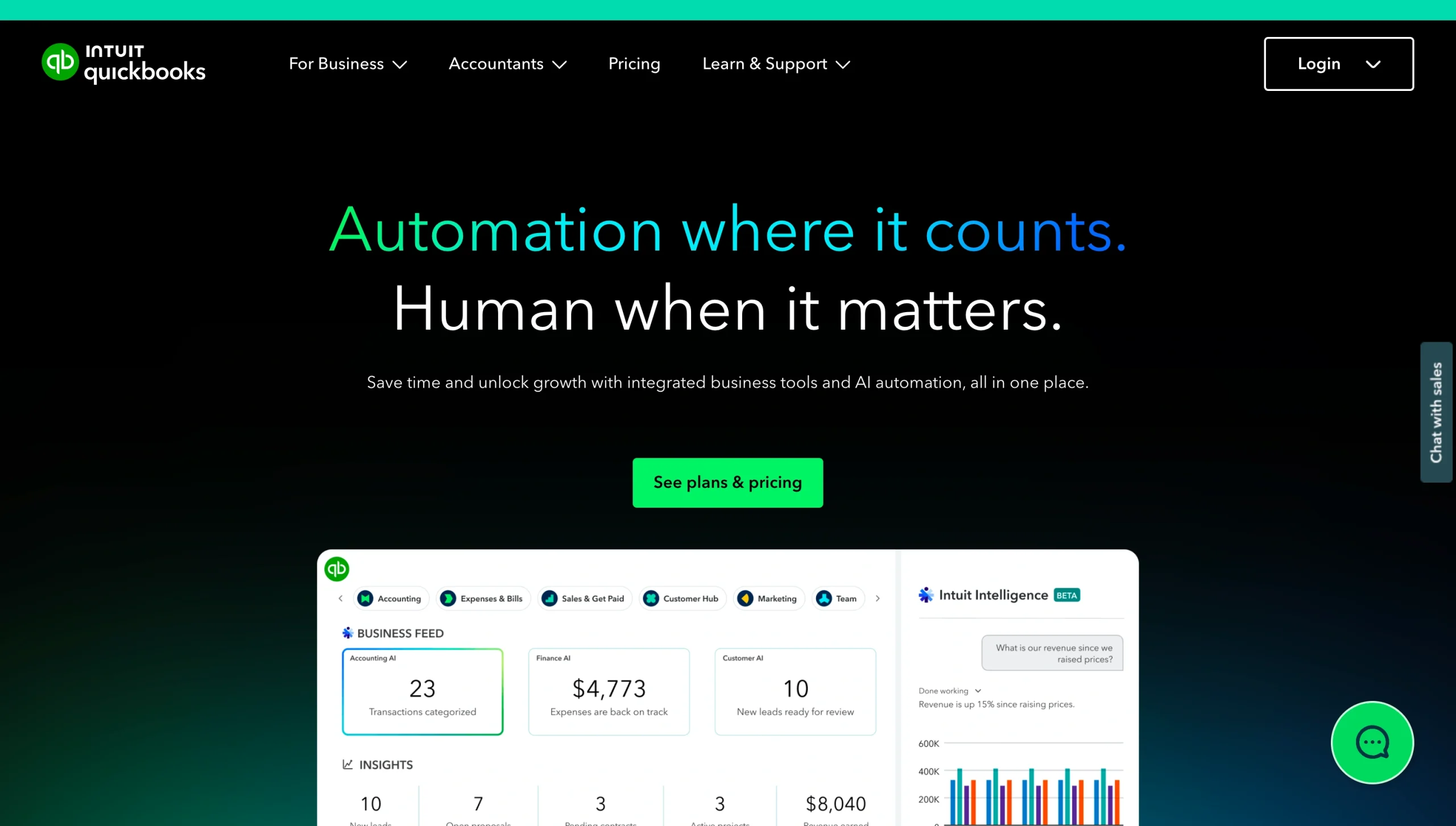
QuickBooks Online is cloud-based accounting software for small businesses and midsized enterprises developed by Intuit. It’s one of the most common accounting tools, serving over 24 million users in the United States. It’s so popular that most US accountants and bookkeepers are trained on the platform.
QuickBooks Online is not to be confused with QuickBooks Premier or QuickBooks Enterprise. QuickBooks Online is a cloud-based solution, whereas Premier and Enterprise require desktop installations. If you need an accounting tool you can access from anywhere, QuickBooks Online is the better option.
If you need a desktop version and are stuck in QuickBooks Premier vs Enterprise decision limbo, consider your business needs and the complexity of your accounting requirements. QuickBooks Premier is best suited for small businesses with straightforward accounting needs, while QuickBooks Enterprise serves midsized to large enterprises with advanced accounting needs.
QuickBooks Online offers various features to support everyday bookkeeping and complex business accounting needs.
Income and expense tracking
QuickBooks Online can connect to your business bank accounts, credit cards, and payment platforms such as Square and PayPal to automatically capture income and expenses. It also lets you snap photos of receipts with your mobile device and automatically categorize expenses while tracking cash flow across projects and customers.
In addition, you can record a reimbursement in QuickBooks whenever employees incur out-of-pocket business expenses, helping maintain accurate financial records and support tax deductions. With QuickBooks Online Advanced, employees can even submit expense claim receipts for seamless verification.
Invoicing
QuickBooks lets you customize invoices with your company logo and colors, automatically add billable hours, and send automated payment reminders to late clients. You can also break down a single estimate into multiple invoices based on project stages or milestones and set up recurring invoices for returning clients.
Payroll
QuickBooks Online brings financial and payroll data together through its QuickBooks Workforce integration. When you integrate the two, you can automate payroll, edit previous paycheck transactions, automatically calculate state and federal payroll taxes, and see how labor costs affect your bottom line.
Inventory tracking
With QuickBooks Online Plus and Advanced, you can monitor stock levels in real time, set up low-stock alerts, and generate inventory summary reports. This feature is especially valuable for product-based businesses because it displays reorder points to minimize the risk of stockouts.
Tax-ready reporting
QuickBooks Online can generate custom financial reports, including income statements, cash flow reports, and balance sheets, to help you determine your tax liabilities. On higher-tier plans, such as QuickBooks Advanced, you can also push and pull finance data directly from Excel and automate report delivery to stakeholders.
Project tracking
QuickBooks lets you log employee hours and connect unbilled expenses to specific projects. It also provides a dashboard that displays project income and costs, helping you evaluate profitability.
Tax management
QuickBooks Online automatically calculates jurisdiction-specific sales tax for invoices and sales receipts. It also tracks tax liabilities, showing you how much you owe each tax agency in real time.
What makes QuickBooks’s ecosystem unique?
One of the biggest benefits of QuickBooks Online is its extensive ecosystem. The accounting software integrates with over 800 third-party apps across multiple business categories, including CRM, e-commerce, payment processing, inventory management, and project management. Some of its most popular integrations include HubSpot, Salesforce, Shopify, Gusto, PayPal, Ply, and monday.com.
QuickBooks’ extensive integrations are especially beneficial if you don’t want to be locked into a single SaaS provider. You can switch vendors as your needs evolve without replacing your accounting platform. For example, if you move from HubSpot to Salesforce for CRM, you can continue using QuickBooks Online as your financial management tool.
QuickBooks offers an AI-powered financial assistant as well. Intuit Assist uses generative AI to provide personalized business insights, categorize transactions, and identify anomalies such as spending spikes and significant changes in cash flow. It also supports natural-language queries, allowing you to ask questions such as “How did this month’s revenue compare with last month’s?” instead of digging through reports to get answers.
QuickBooks Online also stands out for its extensive network of accountants and bookkeepers. As the leading accounting platform in the United States, it is already familiar to many accounting professionals. That familiarity makes it easy to find assistance when you need extra help, especially during tax time.
Pro Tip
Create QuickBooks invoices from Jotform submissions and send customer and sales info directly to QuickBooks with the Jotform + QuickBooks integration.
Zoho Books vs QuickBooks in 2026: Head-to-head comparison
Both Zoho Books and QuickBooks Online offer powerful features that can improve your accounting processes. But one might be better suited to your business than the other, depending on your expectations and priorities. Here’s a head-to-head comparison of them to help you choose.
Pricing & value
Zoho Books is cheaper than QuickBooks Online. It also offers substantial value, even on lower-tier plans. Here’s a quick pricing and value breakdown:
Note: All rates are per organization, billed annually.
- Free ($0): Supports one user and one accountant; includes basic capabilities, such as invoice creation, bank reconciliation, and reporting, along with features that competitors often reserve for paid plans, including a self-service customer portal, automated payment reminders, and receipt autoscans
- Standard ($15 per month): Supports three users; includes all the features in the Free plan, plus capabilities such as progress invoicing, recurring expense setup, sales and use tax management, and report customization
- Professional ($40 per month): Supports five users; includes all Standard plan features, plus capabilities such as multicurrency transaction management, inventory tracking, sales and purchase approvals, and workflow customization
- Premium ($60 per month): Supports up to 10 users; offers all Professional plan features, plus a self-service vendor portal, cash flow forecasting, and fixed asset management
- Elite ($120 per month): Supports up to 10 users; includes all Premium plan features, plus capabilities such as revenue recognition, advanced inventory management, and dashboard customization
- Ultimate ($240 per month): Supports up to 15 users; offers all Elite plan features, plus report embedding capabilities (for apps and websites) and more than 50 prebuilt data visualizations
QuickBooks Online has higher subscription costs. It also reserves advanced capabilities, such as workflow automations, for its higher-tier plans. Here’s a price breakdown:
- Free trial: Available for 30 days
- Simple Start ($38 per month): Supports one user; automates bookkeeping and invoice reminders, facilitates invoicing, generates basic financial reports, and supports five ACH payments per month
- Essentials ($75 per month): Supports three users; includes everything in the Simple Start plan, lets you add employee time to invoices, and creates more advanced reports
- Plus ($115 per month): Supports five users; includes everything in the Essentials plan, plus budget planning, comprehensive reporting, and profitability tracking
- Advanced ($275 per month): Supports up to 25 users; includes everything in the Plus plan, plus cash flow and profit forecasting, workflow automation, and Excel data synchronization
- Intuit Enterprise Suite (Custom pricing): Integrates project and workflow management, supports multidimensional reporting, and provides access to a dedicated customer manager
Verdict: Zoho Books would be a great option for businesses looking to maximize their value per dollar. Many Zoho Books reviews indicate that the tool offers great value for its price.
Accountant compatibility & US market fit
Zoho Books is still growing in the US market. While some accounting professionals may be familiar with the software, others may need time to explore its features and capabilities.
QuickBooks Online is the go-to accounting tool for many finance professionals. With more than 24 million users in the United States, it is the undisputed industry standard. Most bookkeepers, accountants, and tax professionals are likely familiar with the platform’s features and use cases through training, experience, or both.
Verdict: QuickBooks holds a significant advantage over Zoho Books in accountant compatibility and US market fit.
Automation & workflow
Zoho Books supports workflow automation, recurring invoices and expenses, automated payment reminders, and multistep approval chains, helping reduce your accounting burden. QuickBooks Online also supports automation through recurring transactions, automated expense categorization and tracking, payment reminders, and AI-assisted business insights.
While both tools offer powerful automation capabilities, Zoho Books is more affordable. For example, automated payment reminders are available on its Free plan. In QuickBooks Online, the same feature requires a Simple Start plan, which costs $38 per month. Similarly, Zoho Books includes recurring invoice capabilities with its Free plan, but Quickbooks requires a Simple Start plan to do the same.
Verdict: Both tools excel at workflow automation, but Zoho Books’s features are more accessible, particularly for SMBs.
Zoho Books or QuickBooks: Which one should you choose?
The answer to this question isn’t straightforward. Both Zoho Books and QuickBooks Online are great cloud-based accounting tools for SMBs. The right choice for you depends on your business’s unique needs and priorities.
Choose Zoho Books if
- You are already (or plan to be) part of Zoho’s ecosystem: If you use Zoho products such as Zoho CRM, Zoho Projects, and Zoho Inventory, Zoho Books integrates seamlessly into your workflow.
- You’re budget-conscious or own a growing business: Zoho Books has a Free plan and affordable paid plans, although eligibility for the Free plan is limited to businesses with annual revenue of $50,000 or less.
- You want advanced automation at a low cost: Zoho Books offers powerful automation features even on lower-tier plans.
- You’re ready to offer software training: Some accounting professionals in the United States may be unfamiliar with Zoho Books and will likely need training.
- You need to record multicurrency transactions without incurring high costs: Zoho Books includes this feature in its Professional plan, which costs $40 per month when billed annually.
QuickBooks might be a better alternative if
- You regularly work with external accounting professionals: Many accountants and bookkeepers are already familiar with QuickBooks Online, making it easier to find support when needed.
- You’re based in the United States: QuickBooks Online is the most common accounting tool in the US business ecosystem.
- You want third-party software flexibility: QuickBooks integrates with over 800 external tools, allowing you to change your software as needed without replacing your accounting platform.
- You run a product-based business: QuickBooks lets you create low-stock alerts, track inventory levels, and generate stock summary reports without leaving the platform.
- You value AI-powered financial support: Intuit Assist can answer questions, detect transaction anomalies, and provide business performance insights in real time.
Jotform: A smarter way to handle your accounting workflows
If you need a more flexible way to manage financial workflows, Jotform is a great option. Jotform is an all-in-one platform that not only helps you create custom forms for data collection but also supports your accounting needs through Jotform Workflows.
Jotform Workflows is an intuitive, no-code workflow automation tool with a drag-and-drop builder and 40-plus trusted payment integrations. It helps automate complex tasks such as fund approval submissions, expense tracking, and invoicing. With Jotform Workflows, you don’t have to build financial workflows from scratch. The builder includes ready-to-use finance workflow templates that streamline everything from invoice and credit management approvals to tax filing and expense reporting.
Try our Bookkeeping Workflow Template to explore Jotform Workflows’s capabilities for free in minutes.
FAQs about Zoho Books vs QuickBooks
Businesses replace QuickBooks with a variety of accounting and workflow tools, including Zoho Books, Xero, FreshBooks, Sage 50cloud, and Jotform. Zoho Books is often chosen for its affordability, Xero for its intuitive dashboard and unlimited users (on all plans), FreshBooks for its project-based billing tools, Sage 50cloud for its advanced financial management controls, and Jotform for its no-code workflow builder.
Zoho Books has a smaller user base in the United States than QuickBooks, so it may be difficult to find accountants, bookkeepers, or other financial professionals who are familiar with the platform.
Zoho Books also has fewer third-party integrations. While its ecosystem works well for businesses that prefer to work with a single vendor, it may be limiting for organizations that want more flexibility when choosing software tools.
This article is for small business owners, freelancers, accountants, finance managers, and startups comparing accounting software solutions.





















Send Comment: