-
 GranvilleRefs
Hi.
Many people have asked this question.
We just want the input area for some "short text" fields to be decided by US, not some default.
Online answers from jotform support include :
Set the width for every field to 650 px in the Form Designer/Advanced/Form Layout. (doesn't work - only affects the width of the single "dropdown" field in the Form.
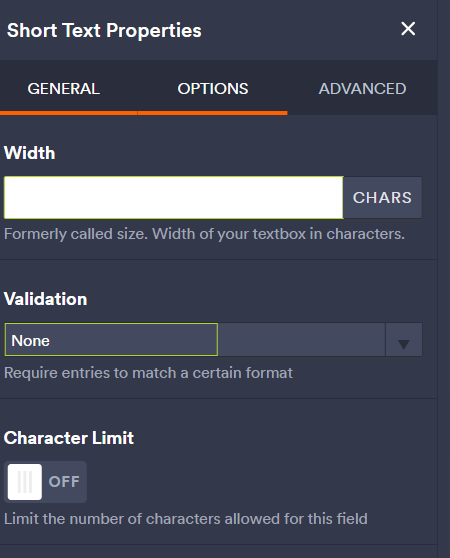
Toggle the width option for the individual field to "fixed" , and then set the pixels, but there IS NO "width option" toggle in our form builder... all you can do is override the number of characters (but it doesn't change anything on the resultant form)

> I have also, as other questioners have, tried overriding the CSS, but this also does not work.
Why is it so hard to do one of the simplest, most common things that everybody would want to do with a form ??
Please tell me how to make a *single* "short text" field an appropriate width (in pixels) and please give an answer that actually works !
FOr your info, my form is HERE. (/jf/www.jotform.com/build/242662228805862/design)
Thanks,
Warren Kinny
-
 Jotform Support Former Jotform Support
Hi Warren,
Thanks for reaching out to Jotform Support. I understand the issue, but I’ll need a bit of time to check on this. I’ll get back to you as soon as possible.
Thanks for your patience, we appreciate it.
-
Jotform Support Former Jotform Support
Hello Warren,
Thanks for waiting. I understand it's frustrating when you're trying to adjust something and the options don't work as expected. I see that you've already tried using the CSS code, but to make sure you're doing it correctly, let me show you how to do it.
1. First, you would need to get the unique Field ID of the Short Text field that you want to customize:
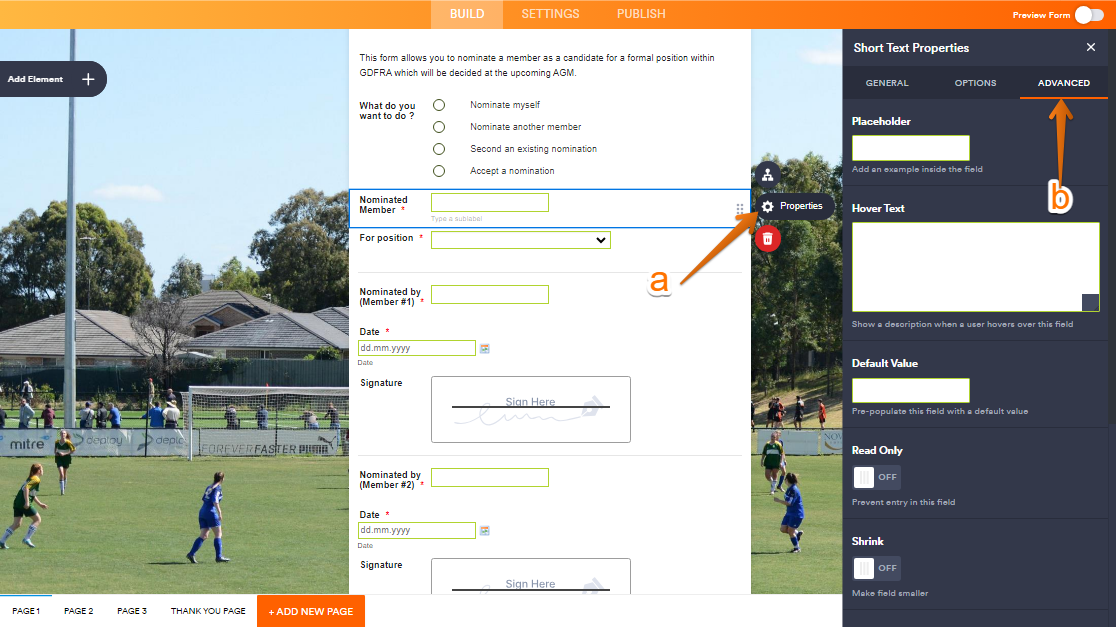
a. To do this, click on the Short Text field that you want to customize, then click the Gear icon to open the Short Text Properties.
b. Next, go to the Advanced tab.
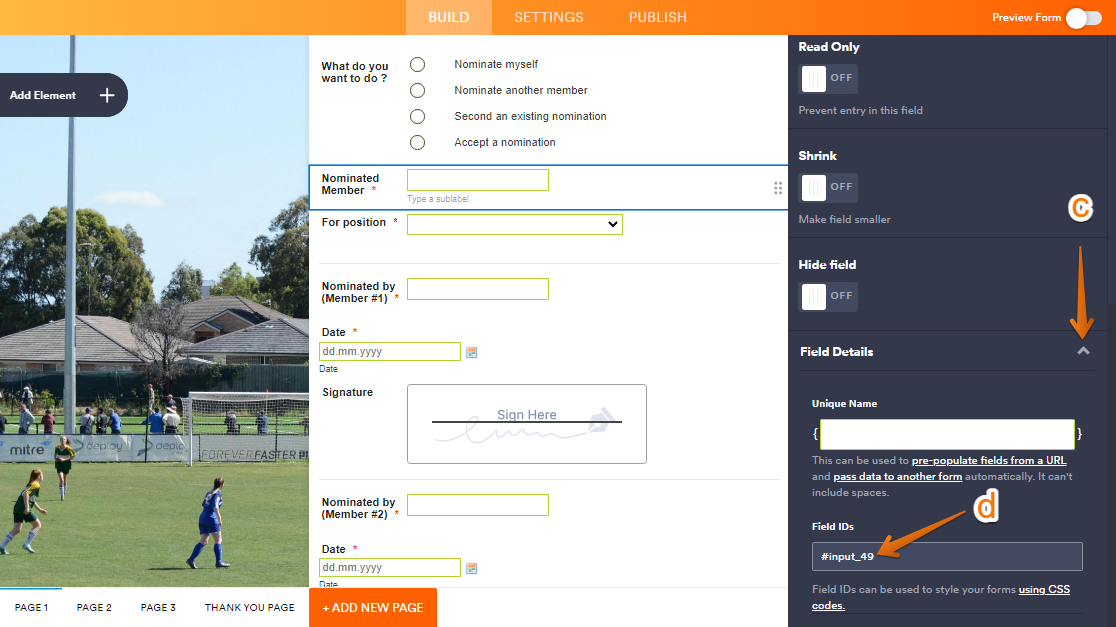
c. Scroll down and click the collapse button in the Field Details section.
d. And then, take note of the Field ID from the box.
2. Once you have the Field ID, we can use the CSS code below to adjust the width of the Short Text box associated with that Field ID.
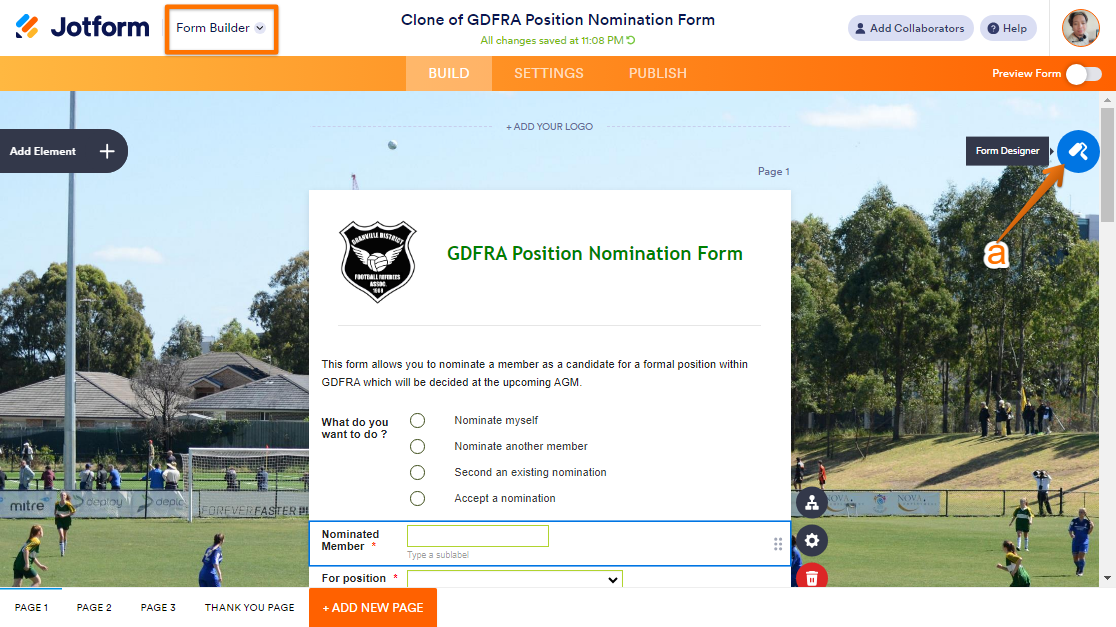
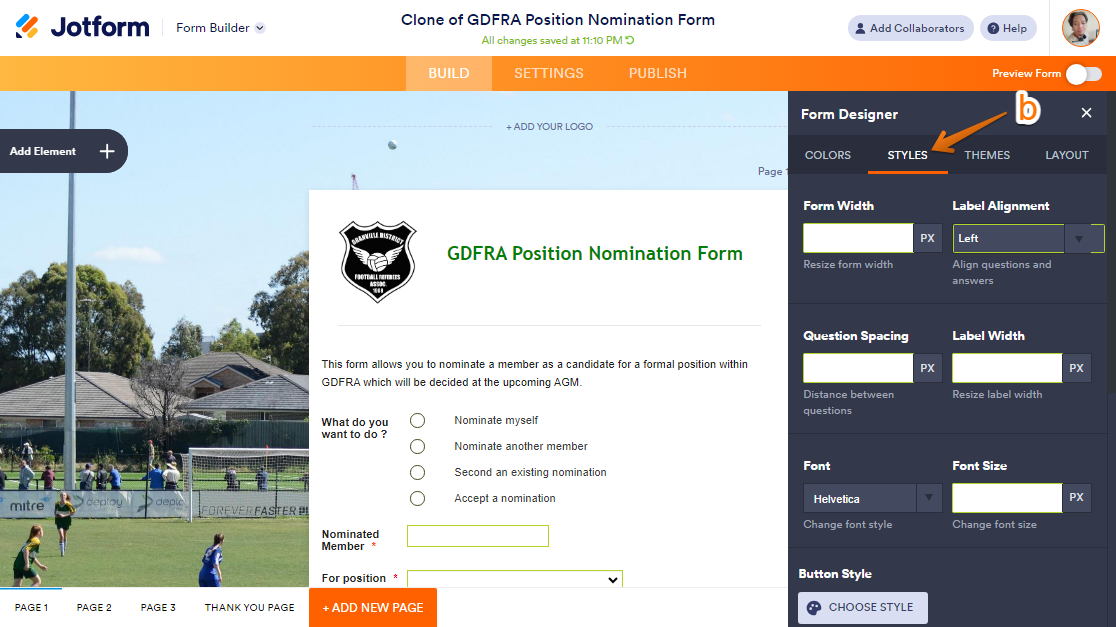
a. In Form Builder, click on the Form Designer icon (paint roller).
b. Go to the Styles tab.
c. Then, scroll down to Inject Custom CSS. d. You can delete all the current CSS code and then add the following CSS code below:
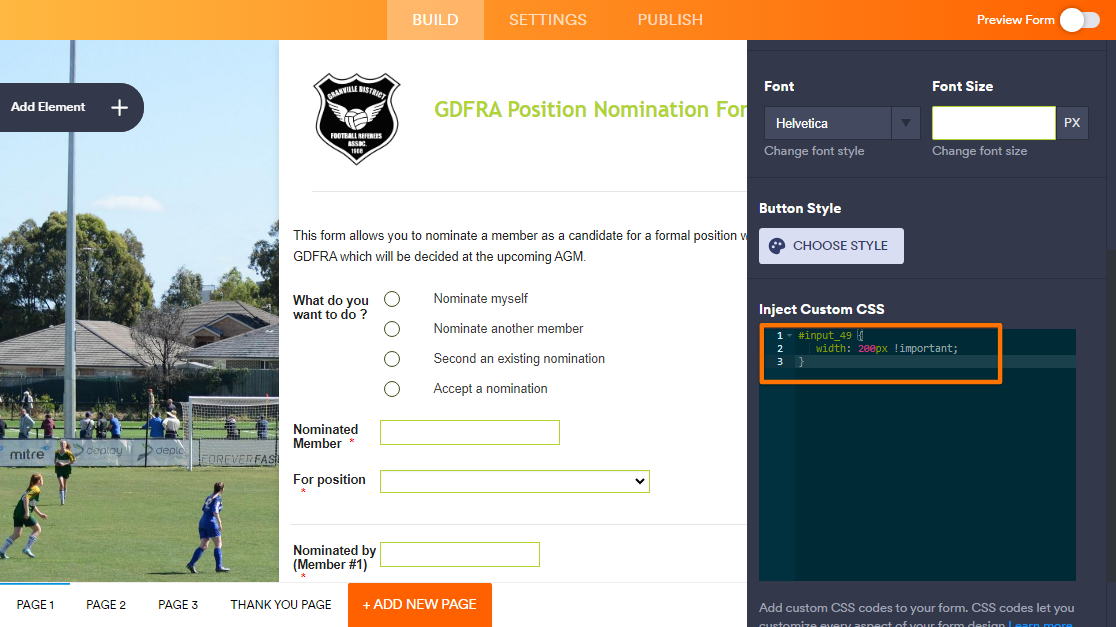
>enter the Field ID here< {

width: 650px !important;

}
Just replace '>enter the Field ID here<' with the unique Field ID and set the pixel width to your preference. Take a look at my screencast to see my result: Give it a try and let us know how it goes.
 c. Then, scroll down to Inject Custom CSS.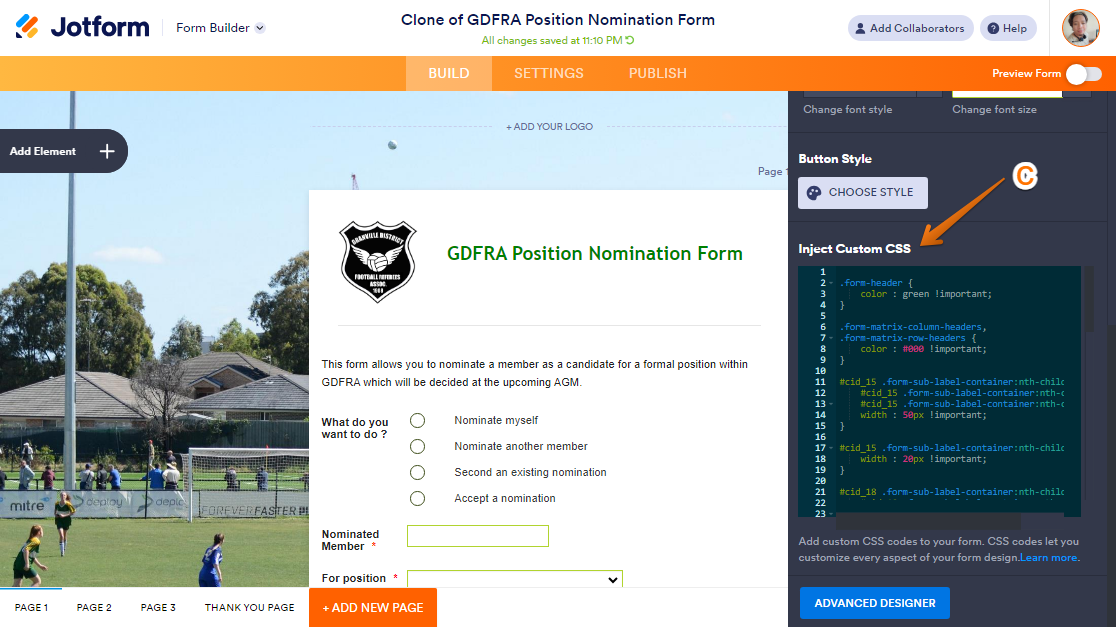
 Just replace '>enter the Field ID here<' with the unique Field ID and set the pixel width to your preference. Take a look at my screencast to see my result: