-
 jeanpaulpazos
Cuenta destino: suscripciones.men@adventistas.org
Page URL: /jf/form.jotform.com/260743390049054 -
 Royce Jotform Support
Hi jean,
Thanks for reaching out to Jotform Support. Our Spanish Support agents are busy helping other Jotform users right now, so I'll try to help you in English using Google Translate, but you can reply in whichever language you feel comfortable using. Or, if you'd rather have support in Spanish, let us know and we can have them do that. But, it might take a while until they're available again.
Now, coming back to your question, Transferring Your Forms and Data to Another Account is easy. When you transfer a form, all its submission data moves with it, and the receiving account becomes the new owner. There are a few things you need to be aware of:
- If you're using a custom URL, it’ll automatically update from /jf/form.jotform.com/{yourUsername}/{your-custom-url-slug} to /jf/form.jotform.com/{New_Owner_Username}/{your-custom-url-slug}.
- The transfer can’t be undone unless the new owner agrees to send the forms back.
- It's not possible to transfer forms to or from HIPAA-friendly accounts.
Now, let me show you how to do it:
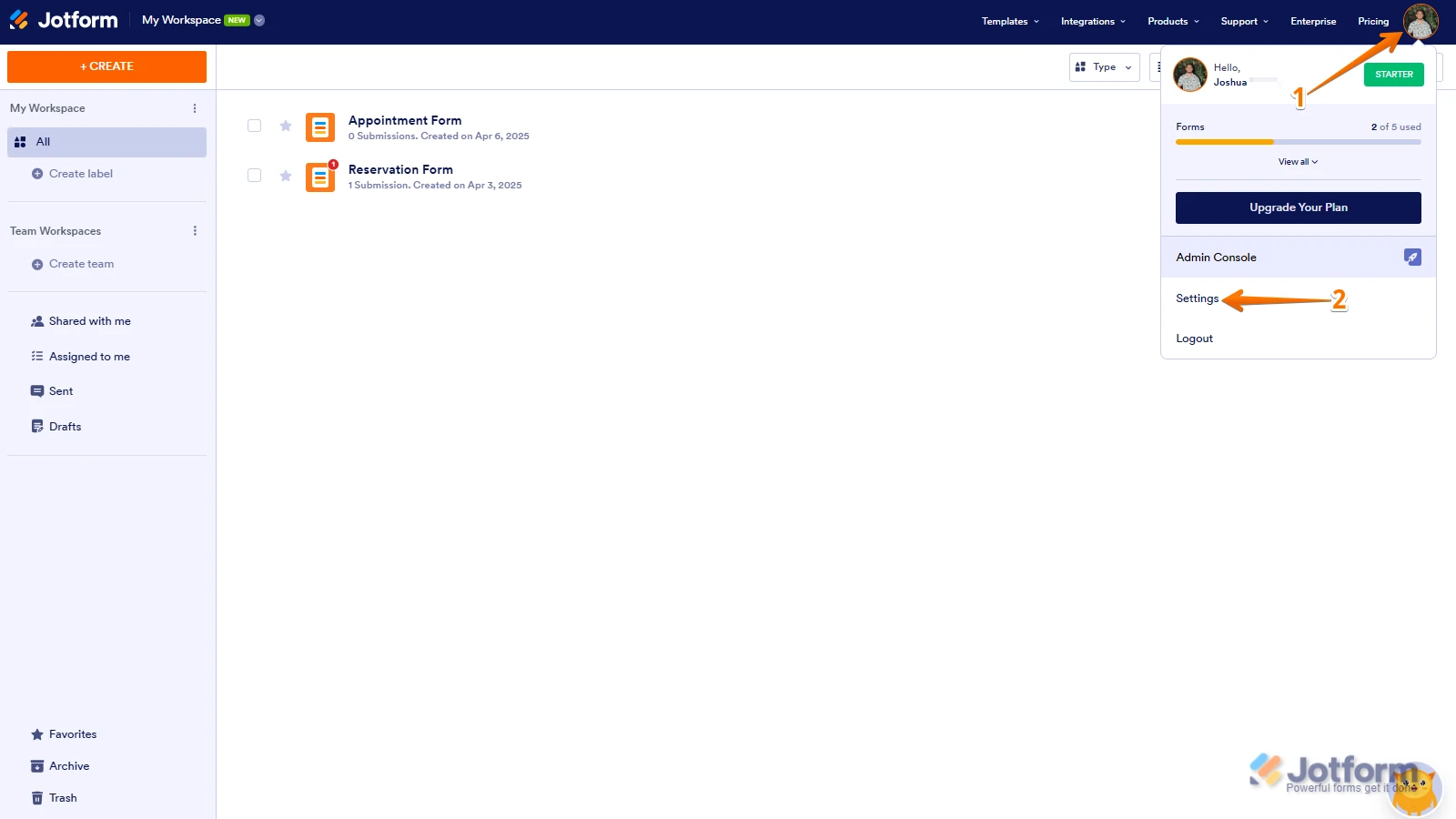
1. On your Workspace page, click on your Avatar/Profile Image in the top-right corner of the screen.
2. In the window that opens, click on Settings.

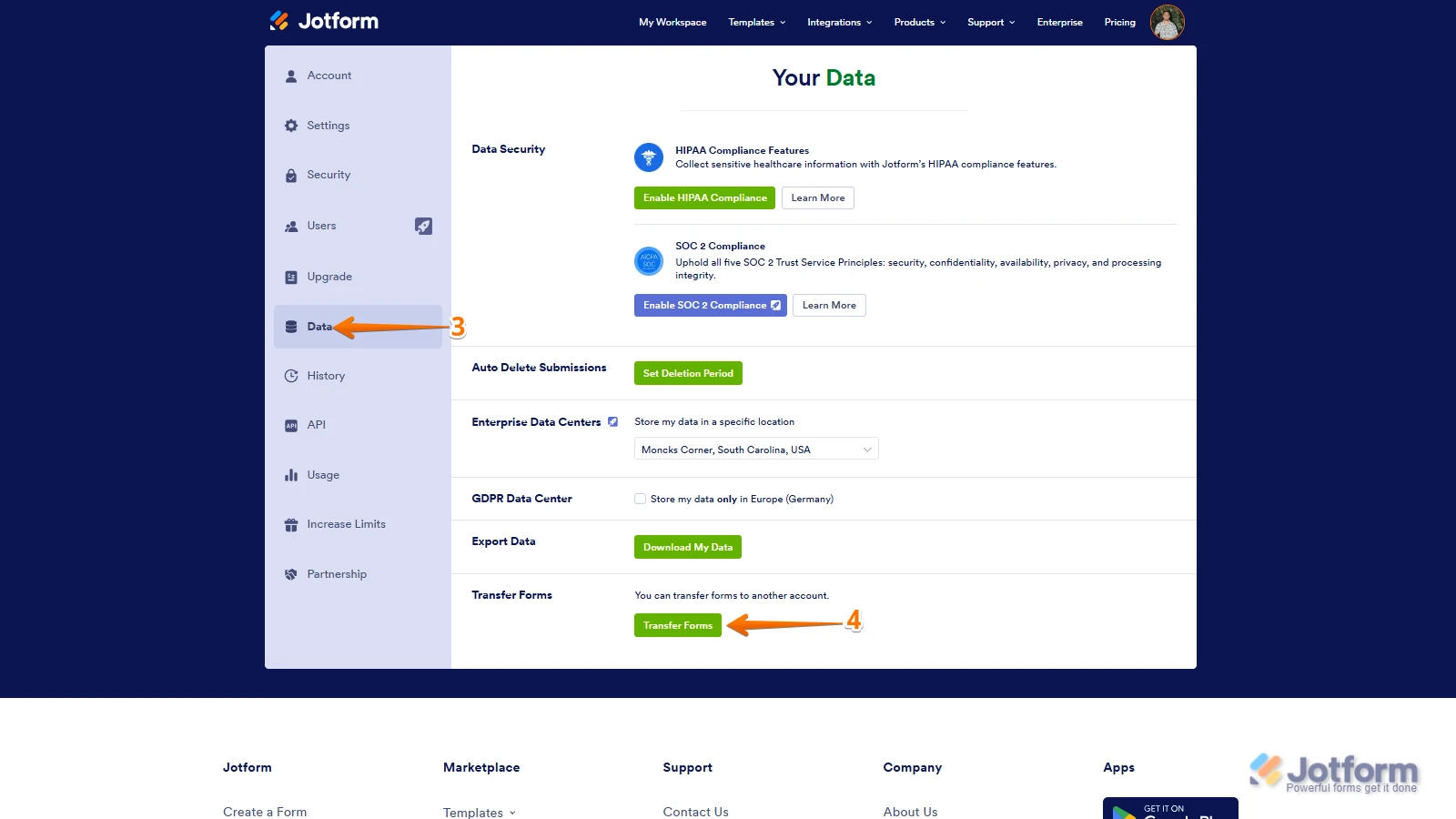
3. Then, click on the Data tab on the left.
4. In the Transfer Form section, click on Transfer Form.
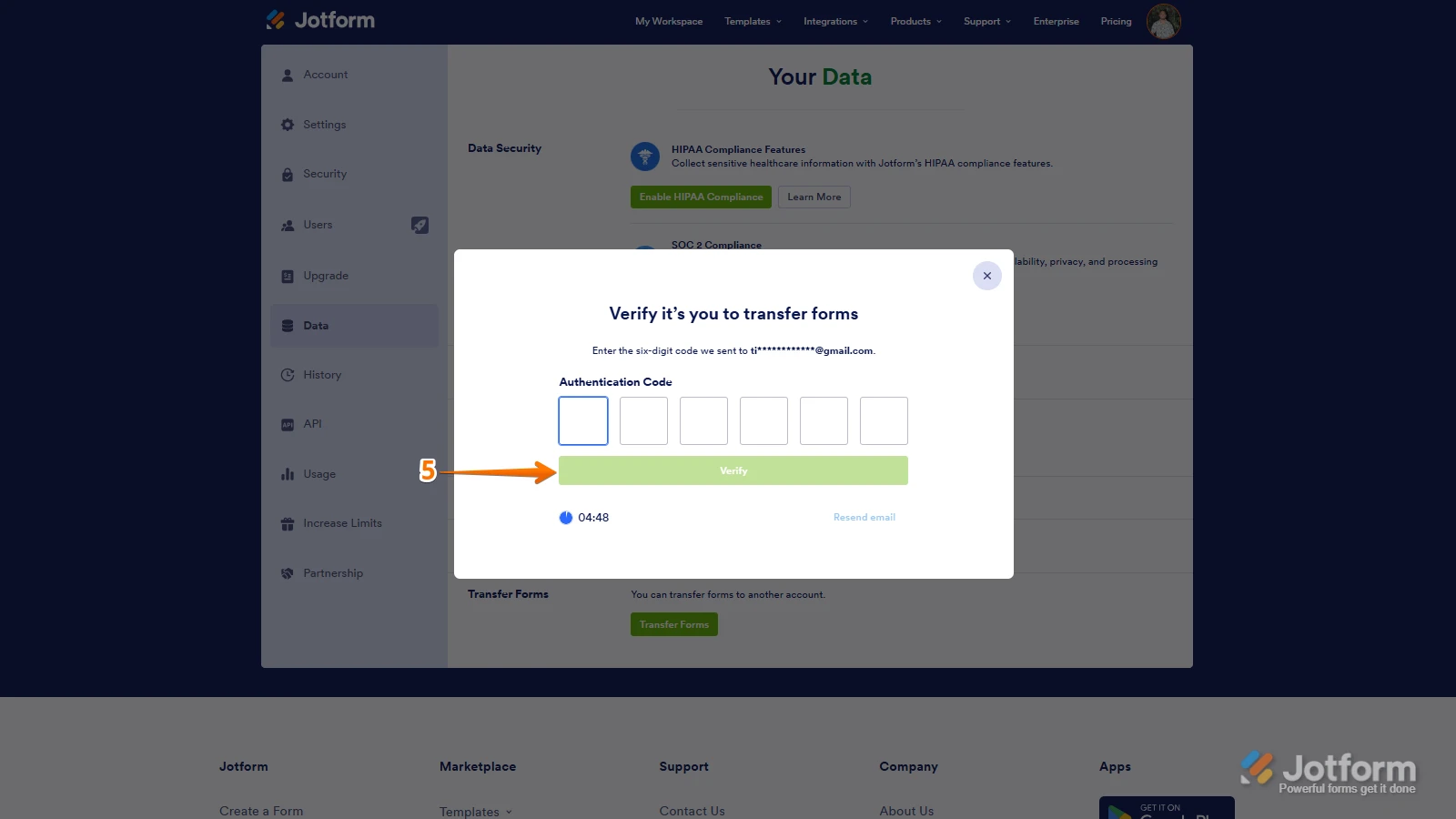
5. Next, enter the Authentication Code that is sent to your email address, and click on Verify.
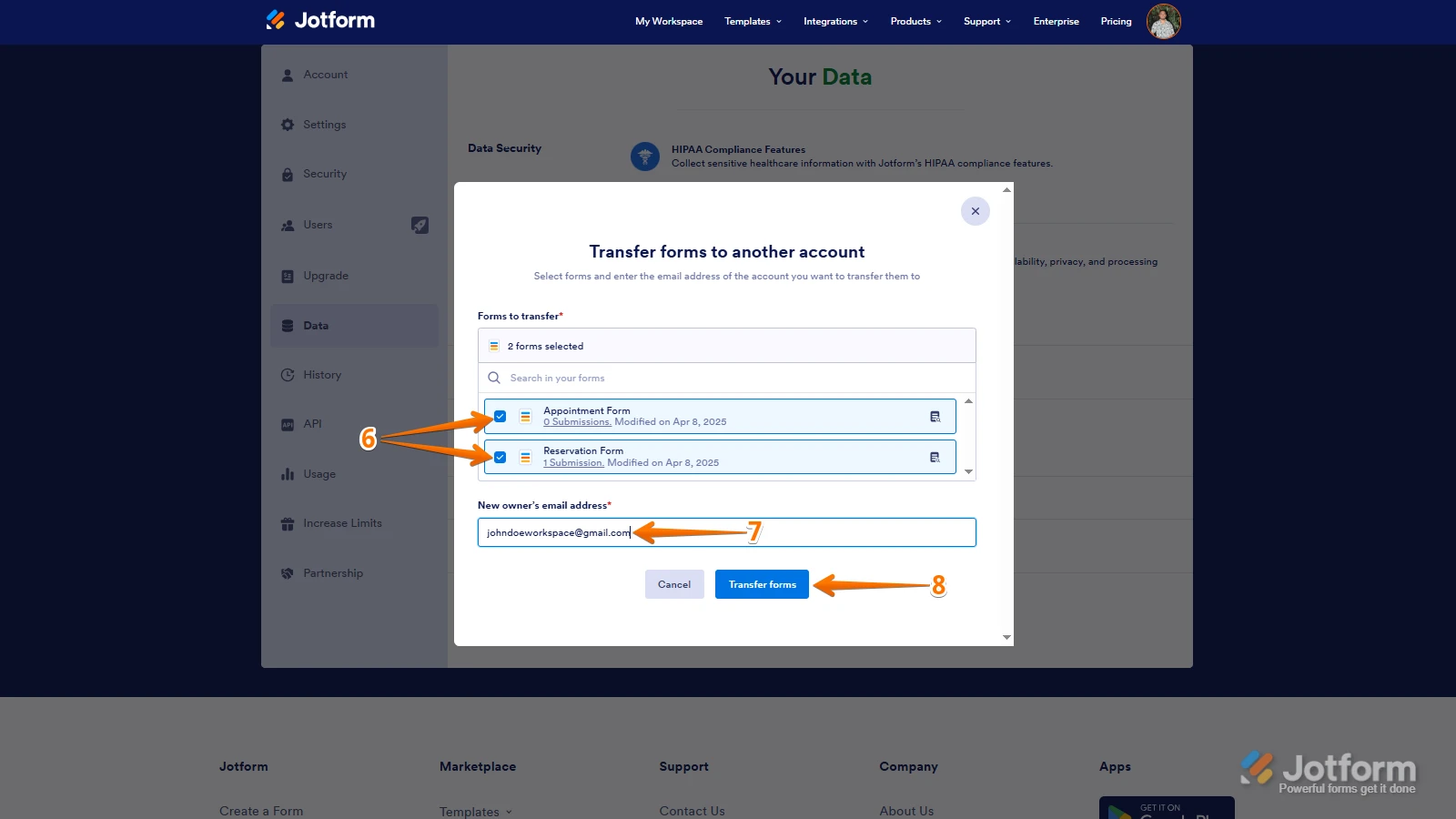
6. In the window that opens, tick the box next to the name of the form you want to transfer.
7. In the New Email Owner’s Email Address field, enter the email address of the account that you want the forms to be transferred to.
8. Now, click on Transfer Form.
Keep in mind that you can only send one form transfer request at a time. You also have the option to cancel a pending request. Let me show you how:1. While you are still on the Data page, click on the View Details button in the Pending Transfer section.
2. Then, click on Cancel Request.
3. Finally, click on Yes, Cancel.
Once the forms are transferred, the owner of the account receiving the forms will get an email notification. From that email, they can click on the View Transfer button, then click on Accept to complete the transfer. Check out the screencast below:Reach out again if you have any other questions.
 Keep in mind that you can only send one form transfer request at a time. You also have the option to cancel a pending request. Let me show you how: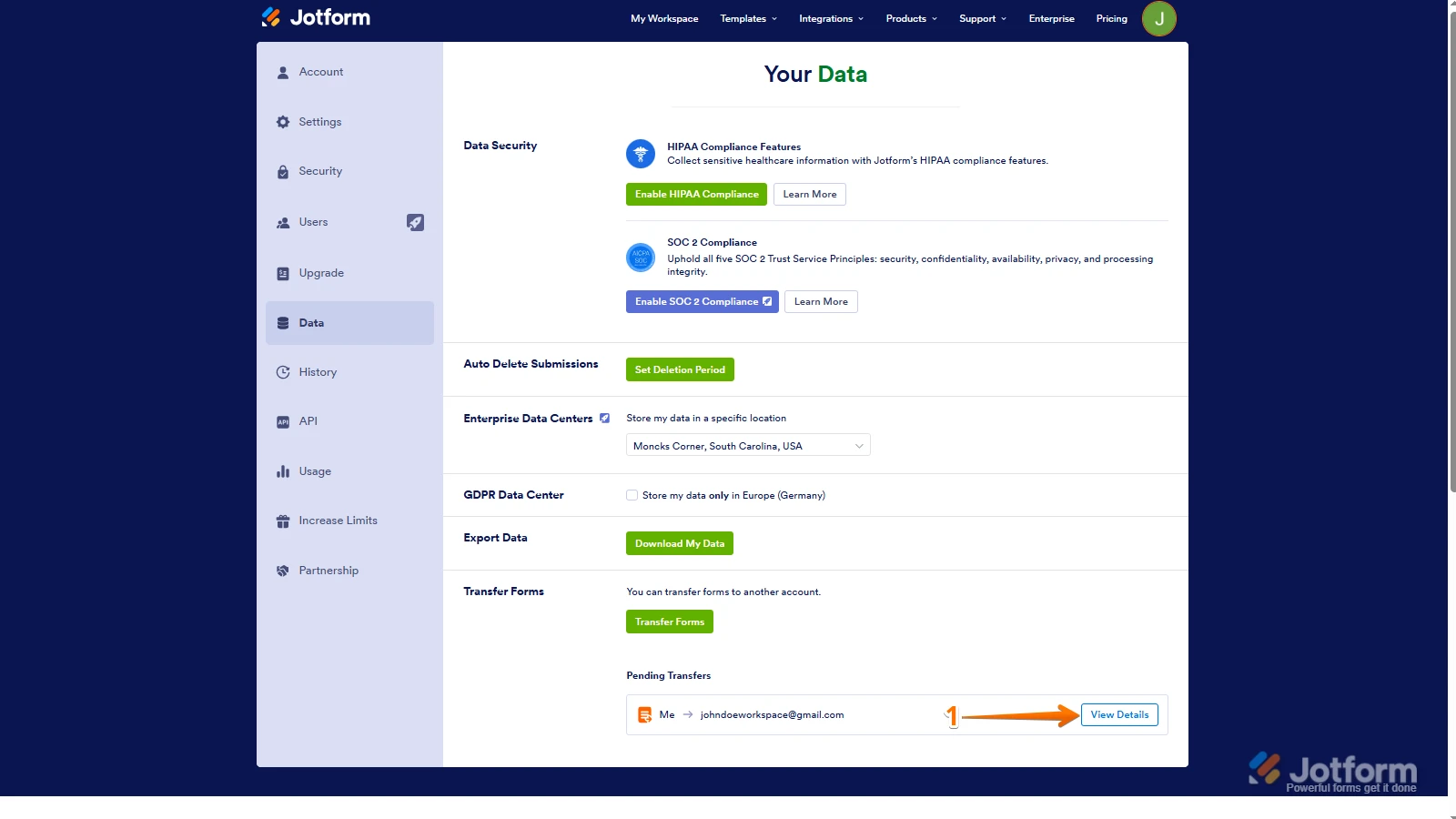
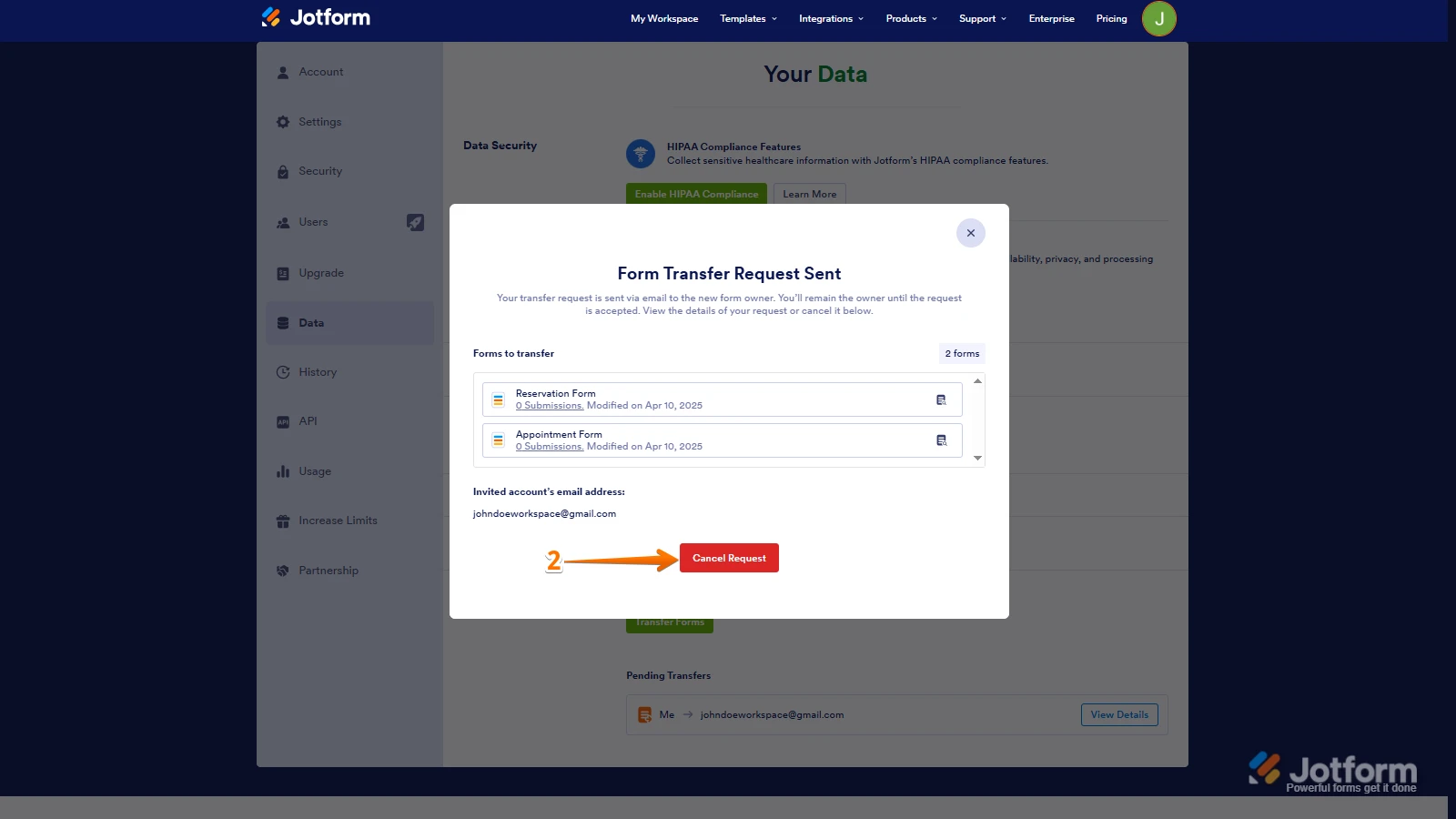
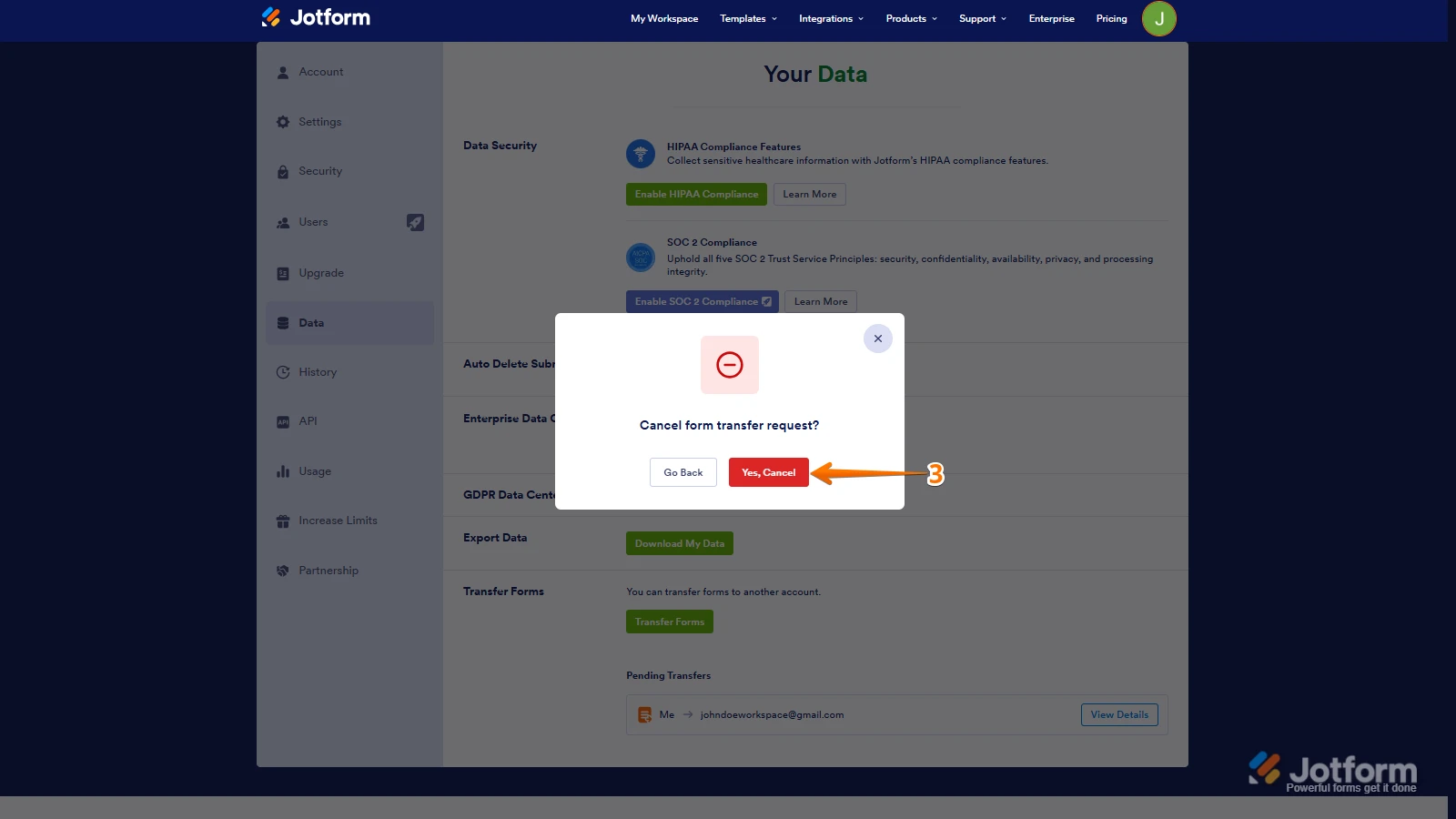 Once the forms are transferred, the owner of the account receiving the forms will get an email notification. From that email, they can click on the View Transfer button, then click on Accept to complete the transfer. Check out the screencast below:
Your Reply
Something Went Wrong
An error occurred while generating the AI response. Please try again!